
How Can You Optimize Injection Molding Parameters to Eliminate Ejector Pin Marks?

Do you get sick and tired of having the look of the perfect plastic parts spoiled by small, round spots? These ejector pin marks are not merely a cosmetic problem but they indicate the existence of existing stress on the part and translates to expensive rejections, material wastage and delays in production. However, what happens when you could just tone down your process so that these marks would disappear? Through systematic optimization of some key parameters, one is able to produce flawless parts, each time.

The only three areas that need to be optimized in order to remove ejector pin marks include: pressure, temperature and time. In particular, lower the injection and holding pressure to avoid sticking of the part to the mold. Care that the temperature of the mold is optimum and permit ample cooling period in order that the part becomes hard enough to be ejected. Additionally, mechanical aspects such as size and location of the ejector pins, and make sure that the mold has a sufficient draft angle so that the part can be released easily with low pressure.

A close-up of a plastic part showing ejector pin marks

The initial step to a permanent solution is to know exactly what has gone wrong. The symptom is a mark on a part, and it may not be necessary to simply tweak one setting and get the root cause fixed. It is commonly a fine art of the injection of the plastic, the cooling of the plastic, and even the shape of the mold itself. We will decompose the typical offenders of ejector marks and discuss ways to correct them, and other similar issues that could be bedevilling your production line.

Methodical Approach to Optimizing Parameters to Remove Ejector Pin Marks

Random parameter changes should never be used to remove ejector pin markings. Defects are eliminated without causing secondary problems like sink marks, warpage, or flash thanks to a methodical, sequential optimization process.

Step 1: maximize holding pressure to remove ejector pins marks

To begin, gradually lower the holding pressure while preserving the dimensional stability of the workpiece. Melted plastic is forced deeply into mold texturing by excessive holding pressure, which increases adherence to the cavity. Applying just enough pressure to offset shrinkage until gate freeze-off—and no more—is the aim.

Step 2: Confirm Sufficient Cooling Duration

Increase cooling time gradually once holding pressure has been maximized. Before being ejected, the portion must become sufficiently stiff. Regardless of pin design, surface deformation is inevitable if ejector pins engage while the polymer core is still semi-molten.

Step 3: Adjust Mold Temperature

Modify the mold’s temperature if the cooling period becomes unfeasible. By speeding up surface solidification, a slightly colder mold lowers adhesion forces during ejection. Avoiding surface flaws or flow reluctance requires caution.

Step 4: Examine Ejection Force and Timing

Make sure that only after uniform solidification does ejection occur. Stress is concentrated at pin contact locations by abrupt or excessive ejector force. Visible marks are frequently lessened by a more seamless, staged ejection operation.

Step 5: Use Short Production Runs to Verify

Always use brief, controlled runs to verify changes. Prior to committing to full-scale production, keep a tight eye on the ejector pin contact areas.

What Exactly Causes Ejector Pin Marks on Your Parts?

You’ve inspected a new molded piece, and all seems well until your eye lands on those characteristic round dimples. It’s a source of frustration, as apparently, a problem is occurring at the very end of the process.

You understand that the pins are extracting the piece, but why are they causing their characteristic impression along with it? It’s difficult to discern just what is occurring. Fortunately, the causes of this problem are generally easy to identify, related to either process conditions or mold design.

Ejector marks are observed as a result of the effect exerted by the ejector pins against the plastic piece, which is either softened or is stuck too tightly in the mold. This is a result of factors such as excess hold pressure, which compresses the piece too tightly, insufficient cooling, which makes the plastic soft, or the plastic being at a high melt temperature, which delays its solidification. Other mechanical problems, which include insufficient draft or a rough mold surface, make ejecting harder, hence causing these marks.

Diagram showing ejector pins pushing a part out of a mold

In order to properly rectify a situation, we have to look past the surface solution for a problem. The reasons for a problem can be divided into two types based on whether they relate to mold making or mold designs. It is important for a solution to know how one fits into the other in regards to one’s problem. I have noticed on several occasions people being concerned about temperature when in reality there is a draft issue with mold designs.

1. Process-Related Causes

These are issues tied to the settings on your injection molding machine. They are often the easiest to adjust and test.

  • Excessive Holding Pressure: After the mold is filled, a holding pressure is also applied. This is done to push out the part and also compensate for shrinkage. But if this holding pressure is high, it will push plastic into all the micro textures in the mold, effectively glueing it inside. Then a high force is required from the ejector pins to push it out.
  • Inadequate Cooling Time: This is a very common problem. When the cooling time is inadequate, the part is still in the softer stage when the ejector pins come on. These pins will press against the softened surface rather than pressing the solid part as a whole.
  • High Melt or Mold Temperature: Similar to the time taken for cooling, if the plastic or the mold itself gets too hot, the piece takes time to solidify. Attempting to remove it earlier would leave residue.

2. Mold-Related Causes

These are physical issues with the mold itself. They often require more effort to fix but are permanent solutions.

  • Insufficient Draft Angle: Draft angle is the slight tapered portion on the vertical walls of the object being produced. When the object is produced with insufficient or without the draft angle, the walls of the object will be straight at an angle of 0 degrees, so the object experiences large amounts of friction during the removal or ejection
  • Poor Ejector Pin Design: Small ejector pins place the entire force of ejection on a very small area. This is the same as pushing the part with a needle instead of a thumb. The larger the pin and preferably placed on a rib or boss, the better.
  • Rough Mold Surface: A rough or undercut mold cavity surface will cause problems in ejecting the mold as the piece will not come out easily. This is due to undercuts that trap the plastic.

How to Determine Whether Ejector Pin Marks Are Caused by Mold or Process?

Time, tooling costs, and needless mold revisions are all reduced with an accurate diagnosis. Ejector pin markings usually result from mold design or processing conditions, and each calls for a distinct approach to resolution.

Process-Related Cause Indicators

  • With cycle time or pressure changes, marks alter.

  • At faster manufacturing speeds, marks get worse.

  • Marks for the same item show up on several molds.

  • Indentation on the surface feels elastic or velvety.

  • These signs indicate a high melt temperature, excessive holding pressure, or inadequate cooling.

Signs of Mold-Related Issues

  • Marks show up in the same spots each cycle.

  • Changes to parameters have little to no impact.

  • Marks are deeply incised or well defined.

  • The problem is limited to a single mold.

The primary cause in these situations is typically the size, location, draft angle, or surface finish of the ejector pin.

A straightforward guideline:
It’s a process problem if altering the parameters fixes the flaw. Otherwise, there is a mold problem.

What are the Main Parameters for Optimizing Injection Molding?

You are aware that you must change your process, yet there are dozens of settings on the machine, where would you start? It may be intimidating to look at a control panel and have no idea whether to adjust the pressure, the temperature or the speed. Any alteration of the erroneous parameter may cause additional issues, such as sink marks or short shots. It is not about the random trial and error in settings, but rather knowing the fundamentals of the process and their interdependence. Systematic approach will always be in a position to give superior, repeatable results.

These four categories are parameters of injection molding optimization; that is, temperature, pressure, time, and positioning. There is temperature the melt temperature and mold temperature. Pressure encompasses injection, holding and back pressure. There are time settings that include fill time, holding time, and cooling time. Lastly is positioning which is the shot size and transfer position of the screw. The ability to balance these parameters is the way to create high-quality and consistent parts as well as to exclude defects.

Control panel of an injection molding machine

Think of these parameters as ingredients in a recipe. Too much of one or not enough of another can ruin the final dish. In my early days, I learned this the hard way by trying to fix everything at once. I quickly realized that a methodical approach is best. Let’s look at the "big four" groups of parameters and what they control. Focusing on these will solve 90% of your molding problems.

The Four Pillars of Molding Optimization

Parameter Group Key Settings What It Controls
Temperature Melt Temperature, Mold Temperature The viscosity (flowability) of the plastic and the rate at which the part solidifies (cools).
Pressure Injection Pressure, Holding Pressure, Back Pressure The force used to fill the mold, pack out the part to compensate for shrinkage, and prepare the next shot.
Time Fill Time, Holding Time, Cooling Time The duration of each critical phase of the cycle, directly impacting part formation and cycle efficiency.
Position Shot Size, Transfer Position The amount of plastic injected and the precise point when the machine switches from filling to packing.

When you’re troubleshooting a defect like ejector pin marks, start by looking at the parameters that have the most direct impact. For ejector marks, the primary suspects are Holding Pressure and Cooling Time. If the holding pressure is too high, the part is difficult to eject. If the cooling time is too short, the part is too weak to withstand ejection.

From there, you can look at secondary influences. For example, a high Melt Temperature will require a longer Cooling Time. A fast Fill Time (requiring high Injection Pressure) might also necessitate higher Holding Pressure to prevent sinks. See how they all connect? The goal is to find the "sweet spot" where the mold fills completely, the part solidifies properly, and it ejects with minimal stress. This systematic approach—adjusting one primary parameter at a time and observing the result—is the most reliable way to optimize your process.

How Ejector Pin Marks Are Affected by the Type of Plastic Material?

How ejector forces result in surface marks is significantly influenced by material behavior. The way that various polymers react to cooling and ejection varies greatly.

Plastics that are amorphous, such as ABS, PS, and PMMA

These substances hold heat longer and soften gradually. They readily distort when pin pressure is applied if they are expelled too soon. Moderate mold temperatures and longer cooling periods are crucial.

Semi-Crystalline Plastics (such as PP, PE, and Nylon)

They shrink greatly yet solidify quickly near the surface. Internal shrinking can improve their adherence to the mold, despite their seemingly inflexible appearance. Controlling holding pressure properly is essential to preventing sink and sticking markings.

Materials Filled with Glass

Increased friction against the mold chamber increases ejection force, but higher stiffness decreases visible deformation. Better draft angles and larger ejector pins are frequently required.

Materials That Shrink a Lot

As they cool, these materials cling firmly to the mold. Ejector pin marks become nearly inevitable in the absence of adequate draft and balanced cooling.

By knowing how materials behave, engineers can change parameters before flaws show up instead of responding after the fact.

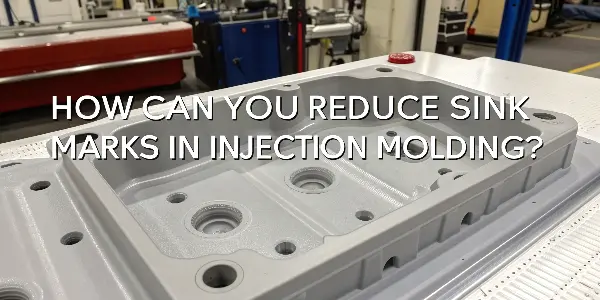
How Can You Reduce Sink Marks in Injection Molding?

You examine one of the parts and you find two shallow depressions or craters upon the surface, particularly where there is a thicker portion of the part, such as a rib or boss. These are sink marks and they occur when a part is not cooled evenly. They not only make the part appear bad but may also have an impact on the structural integrity of the part. This can be solved by simply cramming more material in the mold, but this may cause other issues such as flash or stress. The actual solution is in controlling the manner in which the plastic is cooled and solidified within the mold.

In order to ease sink marks, you must be sure that the parts that are made thicker with material are sufficiently filled and cooled equally. To push more material into the cavity during plastic shrinkage, the most recommended are the increase in the holding pressure and holding time. Also, it is possible to reduce the melt and mold temperatures to get the material to set quicker and in a more uniform manner. In case process alterations are not sufficient, the final method is changing the design of the part to decrease the change in the wall thickness.

Plastic part with visible sink marks over a rib structure

Directly related to thermal shrinkage is sink marks. The contraction of plastic occurs as it cools down. The external skin of the component solidifies and cools first and the molten center proceeds to cool and contract. This shrinking center draws the solidified surface towards itself forming a sink. It is on this account that you nearly always find them in the densest parts of a part, because these parts are the last to cool. I once had to work on a project with a big boss that always left a deep sink mark. We experimented with all the tricks of the process in the book, but the answer was a design change.

Here’s a breakdown of the steps you can take, from simple process adjustments to more involved mold modifications.

Process Adjustments for Sink Marks

  1. Increase Holding Pressure & Time: This is the first step. Higher holding pressures force more plastic into the mold to offset plastic flow due to shrinkage. Longer holding times are also required to maintain the same pressures right up until freeze-off of the gate, locking in plastic. Avoid pressures that cause flash.
  2. Lower Melt and Mold Temperatures: The melt temperature is lower, resulting in less heat for the plastic to dissipate, thereby resulting in less shrinkage for the plastic part. The lower mold temperature causes faster solidification of the outside of the part rather than giving extra time for the melt to pull away from the surface.
    Find temperatures that avoid flow problems.
  3. Increase Cooling Time: This will give the part more time to cool in the mold, allowing the entire cross-section to solidify before the part leaves the mold. This will eliminate sagging, but your cycle time will be longer.

Design and Mold Modifications

When process changes aren’t enough, the issue lies with the part or mold design.

  • Core Out Thick Sections: The way to incorporate the feature in the most effective way is to try to come up with designs that incorporate the same thickness of material throughout. If a thick section is required in order to meet some other functionality requirement, you can core out the thick section by establishing a non-mass retaining area from the unseen side.
  • Move the Gate Closer to Thick Sections: By locating the gate near the thickest section of the part, one can effectively exert holding pressure on that specific area of concern prior to the freeze of plastic.

How Do You Avoid Flow Marks in Injection Molding?

You detach a piece of the mold and observe a wavy or rippled impression along the surface usually at the gate. These flow marks resemble rings on a pond and they may destroy the beauty of a product particularly on high gloss finishes. This trend is in effect a visible history of the plastic stuttering and stalling in an attempt to fill the mold. It informs you that the material solidified too fast and it was not filled in the entire mold. The trick of correcting this in the process is to ensure that the plastic continues flowing smoothly and warmly until the last.

To prevent flow marks, it is important to fill the mold cavity with the molten plastic as fast and smoothly as possible before it can solidify before its time. The simplest method of attaining this is by raising the rate of injection and pressure. An increment in the melt and mold temperatures will enhance flow as the viscosity of the plastic will be reduced. Also, a bad location of a gate or poor venting of the mold can limit flow and thus these mechanical considerations too should be verified.

[Image placeholder]
A shiny plastic part showing wavy flow marks on its surface

I remember a client who was making a large, flat panel for a consumer appliance. The flow marks were so bad that the part looked like a topographic map. We initially tried increasing the melt temperature, but it only partially helped and increased the cycle time. The real breakthrough came when we significantly boosted the injection speed. The plastic filled the mold so fast that it had no time to cool and hesitate, resulting in a perfect, glossy finish. It showed me how critical speed is in solving flow-related issues.

Let’s break down the solutions into process and mold-related fixes.

Process Solutions for Flow Marks

These adjustments are your go-to fixes and can be implemented right at the machine.

  • Boost Injection Speed & Pressure: This is the most effective method. The result is a fast injection which fills the mold before the plastic front solidifies. The increased pressure can provide the force necessary for fast injection.
  • Raise Melt and Mold Temperature: A hotter plastic is more fluid andprocessable, like honey compared with molasses. A hotter mold also ensures that plastic starts flowing as soon as it comes into contact with the sides of themold. However, if it is raised beyond a certain point, it will degrade.
  • Check Back Pressure: An increase in back pressure upon screw recovery can increase the homogeneity of the melt and raise its temperature, which can work as a benefit in enhancing the melt flow properties.

Mold and Design Solutions

If process adjustments don’t solve the problem, the issue may be with the physical mold.

Issue Solution Why It Works
Inadequate Venting Add or enlarge vents at the end of the flow path. Trapped air in the mold gets compressed, creating back pressure that resists the plastic flow and causes hesitation. Vents let the air escape.
Small Gate Size Enlarge the gate or switch to a different gate type (e.g., a tab gate). A small gate restricts flow and can cause the plastic to cool rapidly due to shear heating followed by expansion. A larger gate allows for a smoother, faster fill.
Poor Gate Location Relocate the gate to a thicker section or a position that allows for a more uniform flow path. Gating into a thin area can cause the plastic to freeze off too quickly, preventing it from filling the rest of the cavity smoothly.
Sharp Corners Add generous radii to corners in the part design. Plastic struggles to flow around sharp corners. Smooth, rounded corners help maintain flow velocity and prevent hesitation.

By addressing the root cause—whether it’s a slow fill, cold material, or a restrictive mold—you can eliminate flow marks and achieve that flawless cosmetic finish your customers expect.

Conclusion

In the end, getting rid of problems such as ejector pin marks, sink marks, or flow lines, among others, is all about implementing a structured strategy. It is not just a matter of trial adjustments here and there, as you try to master at least the effect or influence exerted by or the interplay between some basic factors, including the use of appropriate mold designs, to produce excellent results.

Facebook
Twitter
LinkedIn

Request A Quote for Your Projects!

Hi there! I’m Jerry, a proud dad and passionate at CKMOLD. With years of hands-on experience in the injection mold and CNC industry, I’ve grown from managing the smallest details on the shop floor to leading international projects with clients across Europe and the U.S.

At CKMOLD, we specialize in precision molds, plastic parts, and CNC solutions that help bring bold product ideas to life. I love solving complex challenges, building long-term partnerships, and pushing the limits of what great manufacturing can do.

Let’s connect, exchange ideas, and grow together—whether you’re looking for a reliable manufacturing partner or just want to talk shop!

Request a Quick Quote

Send your drawings and detailed requirements via:
Email: jerry@ckmold.com

Or fill out the contact form below:

We will contact you within one working day. Please pay attention to the email with the suffix “@ckmold.com”

Wait, We Have Something Special for You!

Join our mailing list and receive a 10% discount on your next mold or CNC project.