
The wrong choice for the right software can put you in the awkward position of making expensive mistakes, delayed projects, and perpetual aggravation right in your profit and loss column. I’ve been there and understand how important the right choice is to achieving your goals.
The perfect CAD/CAM technology is the total system that does it all in the way you need it. CAD (Computer-Aided Design) creates the 3D configuration of your mold. CAM (Computer-Aided Manufacturing) translates that configuration into CNC machine directions. To create injection molds, you need software that can deliver in both with features such as mold flow analysis, advanced surfacing for extremely complex parts, and direct data transfer so manufacturing errors are eliminated. Make the correct decision and efficiency and quality are guaranteed.
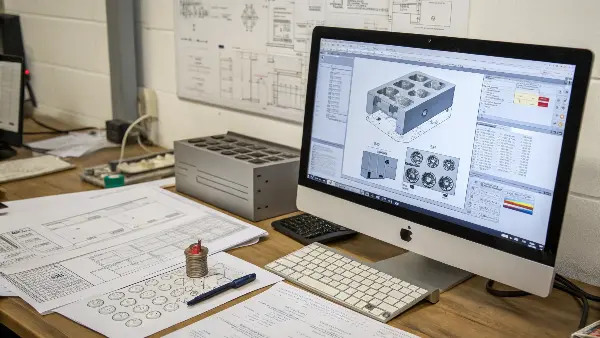
The software environment was a complicated one when I initially began my company. It was an enormous expenditure, and I was aware that the decision would outline our abilities throughout the years. It is not a simple purchase of a program, it is a construction of a workflow that will allow your team to convert a brilliant idea into a flawless physical component effectively. But what you really need to know to make the right call to your business, let’s deconstruct that.
What’s the Real Difference Between CAD and CAM in Mold Making?
Do the words CAD and CAM seem like interchangeable mumbo-jumbo? It’s all too common for people to use them in tandem without realizing their specific functions can create big headaches in your production process. Confusion can result in communication failures between your machine shop and design team, costing you money and causing delays.
Simply put, CAD is the architect, and CAM is the builder. In CAD, your team designs the detailed 3D model of the mold—the core, cavity, runners, and cooling channels. It’s the digital blueprint. CAM takes this finished blueprint and translates it into toolpaths, the specific G-code instructions that a CNC machine follows to physically cut the steel and create the mold. One designs the "what," the other programs the "how."
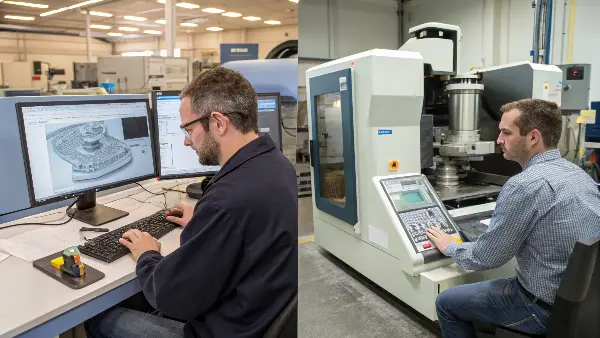
Imagine it is as house building. The architect works out elaborate blueprints (CAD) using specialized software. They work out room layouts, where plumbing is to be, and the structural supports. Those blueprints are then handed over to the construction foreman who then plans the process of building the building (CAM). They determine the tools to be employed, flow of construction and the manner the crew will implement the plan. Without the blueprint you cannot build the house, without a plan to build the house you will not be able to use the blueprint.
In my factory, the design engineers and CNC machinists work side-by-side, but they live in these two different worlds. A smooth "handshake" between CAD and CAM is non-negotiable.
The Architect’s Role: CAD in Mold Design
In the CAD phase, your designers aren’t just drawing a pretty picture. They are making critical engineering decisions that determine if the mold will work at all. This includes:
- Core and Cavity Design: Creating the two halves of the mold that form the plastic part.
- Parting Lines and Surfaces: Defining exactly where the mold will open. A poor choice here can leave ugly marks on the final product.
- Draft Angles: Adding a slight taper to the mold walls so the finished part can be ejected easily.
- Shrinkage Compensation: Scaling the mold design to account for how much the plastic will shrink as it cools.
- Cooling Channels: Designing pathways for water to flow through the mold, ensuring it cools evenly and quickly. This has a massive impact on cycle time and part quality.
The Builder’s Role: CAM for Mold Manufacturing
Once the CAD model is approved, the CAM specialist takes over. Their job is to create the most efficient and precise toolpaths for the CNC machine. This involves:
- Tool Selection: Choosing the right cutting tools (end mills, drills, etc.) from a digital library.
- Roughing Strategy: Quickly removing large amounts of material to get to the basic shape.
- Finishing Strategy: Using fine, precise passes to create the final surface finish of the mold. For high-polish molds, this is an art form.
- 5-Axis Machining: Programming complex toolpaths for machines that can move on five axes simultaneously, which is essential for undercut features or complex curved surfaces.
The table below shows how this works in practice.
| Phase | Key Task | Input | Output |
|---|---|---|---|
| CAD | Design the complete mold assembly | Product 3D model, material specs | A detailed, manufacturable 3D mold model |
| CAM | Generate CNC machine instructions | The final 3D mold model | G-code (toolpaths) for the CNC machine |
A breakdown here means a flaw in the CAD design might not be caught until steel is already being cut. That’s a mistake that can cost you thousands of dollars and weeks of delays. That’s why a seamless flow is everything.
4 Applications of CAD/CAM in Modern Mold Production
The current world has adopted a fast manufacturing industry, and CAD/CAM (Computer-Aided Design and Computer-Aided Manufacturing) technologies are both important in the modern manufacturing industry in the production of molds. They narrow the divide between designing and manufacturing, enhancing accuracy, speed and cost-effectiveness throughout all phases of the mold-making process.
Four important applications of CAD/CAM systems that are helping reshape the process of designing and producing molds in automotive, electronic, packaging, and medical device industries are described below.
Mold Design and 3D Modeling
Designing of accurate 3D models of molds and components is one of the most common uses of CAD software in the production of molds. CAD tools enable the engineers to see the mold structure, study the complex geometries, and carry out virtual simulation before manufacturing.
The designers can do changes with great ease, optimise the parting lines, and also feature cooling channels, ejector pins, and runners.
Parametric modeling is also facilitated by advanced CAD systems, and this allows fast update of the design when there are changes in the size of products or when their material specifications are altered.
It leads to a decrease in design errors, the cost of prototyping and the speed at which a concept can be translated to tooling.
CNC machining and toolpath Generation
The CAM technology is important in transforming CAD models into CNC machine instructions. The engineers are able to create tool paths using CAM software that direct milling, drilling and EDM (Electrical Discharge Machining) actions with very high precision.
It enables the machining processes to be simulated so that the tool movement, feed rates, and cutting speeds are optimized.
The CAM software reduces time spent on machining and material wastage because the software will choose the most efficient cutting strategies.
This direct connection between CAD and CAM provides digital manufacturing that is a smooth transition enhancing accuracy and repeatability in the fabrication of molds.
Thermal Analysis and Mold Flow
The current CAD/CAM systems have more sophisticated simulation software, which allows flow and thermal analysis of moulds. The engineers are able to test the flow of molten plastic or metal into the mold cavity and determine the possible occurrence of such problems as air traps, a weld line, or uneven cooling before the actual production.
These simulations are useful in optimization of the location of gates, cooling channels and venting systems to achieve a better part quality and cycle time.
The information obtained through CAD-based analysis results in molds which create defect-free parts and do not need many post-processing adjustments.
The efficiency of manufacturers and cost of production reduces since it reduces trial and error.
Quick Prototyping and Mold manipulation.
The other notable use of CAD/CAM is in fast prototyping and mold alteration. Through integrated CAD/CAM operations, additive manufacturing (3D printing) or high-speed CNC machining are available to manufacturers to produce prototype molds rapidly.
This allows rapid testing of part designs and mold functionality to be done prior to committing to full scale production.
CAD information is easily modified in case of design changes and the new tool paths are automatically re-generated by CAM software to re-machined.
Such flexibility reduces the time-to-market, increases the design validation capabilities, and increases the product customization capabilities.
Modernization in the production of molds has transformed the process of production to an unequivocal precision, automation and production that was not possible before the integration of CAD/CAM. In 3D modelling and machining automation, simulation and rapid prototyping, these technologies guarantee that the molds are in the optimum quality and performance with minimum cost and lead time. With the ongoing changes in the industry, the CAD/CAM applications will be a focal point in the realization of innovation and competitiveness in the manufacturing of the molds.
How Do You Choose the Right CAD/CAM Software for Your Needs?
Tired of drowning in the multitude of available CAD/CAM software? Lost in lists of capabilities and hype from marketeers? Deciding solely on brand recognition or the cheapest price can be a recipe for disaster, ensuring you are committed to a system which hinders your future, annoys your staff and does not provide the precision you need.
The right choice depends on an objective evaluation of your own company’s peculiar needs. Do not simply consider features, but also the nature of your typical parts, the expense of licensing and training, the experience base of your personnel, and the software’s own compatibility with your customers’ and machines’ operating systems. Systematic and definitive focus, solely based on your own unique needs, will produce a better choice than simply the most popular software.
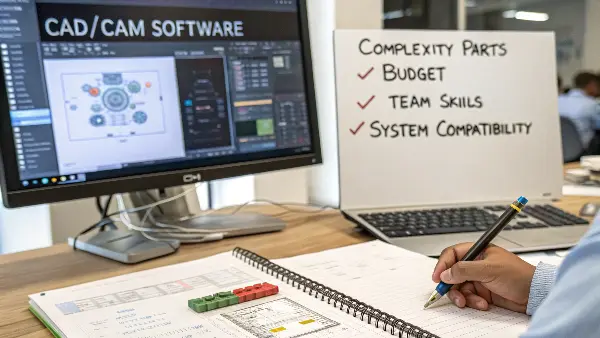
I once consulted for a business owner, much like Michael, who bought a very high-end software package because he thought "more expensive means better." But it was so complex that his team could only use about 20% of its features. They were slower and more frustrated than before. They ended up switching to a more user-friendly system a year later, after wasting a lot of time and money. Don’t make that mistake. Instead, use a structured approach to find the best fit for you.
Assess Your Core Needs First
Before you even look at a single product, look at your own business. Ask yourself:
- What kind of parts do we make? Simple components or highly complex parts with organic surfaces?
- Who is on my team? Are they experienced veterans who can handle complex software, or are they newer designers who need an easier learning curve?
- What systems do my clients use? Compatibility is key. You need to be able to easily import and work with customer files without data loss.
- What machines are in my shop? Your CAM software must have reliable post-processors for your specific CNC machines to generate correct G-code.
Create an Evaluation Checklist
Once you know your needs, you can evaluate software options against a clear set of criteria. This prevents you from being swayed by flashy demos and focuses you on what truly matters.
| Evaluation Criteria | What to Ask | Why It Matters |
|---|---|---|
| Mold-Specific Features | Does it have dedicated tools for core/cavity splitting, draft analysis? | Speeds up the design process and reduces errors. |
| CAM Integration | Is CAM built-in, or does it require a separate program and data export? | Integrated systems prevent data loss and streamline workflow. |
| Ease of Use | How intuitive is the interface? What is the estimated learning curve? | A shorter learning curve means your team is productive faster. |
| Total Cost of Ownership | What are the costs for licenses, annual maintenance, and training? | The initial price is only part of the story. |
| Technical Support | What level of support is offered? Is there a strong user community? | When you hit a problem, you need help fast. |
| Simulation Capabilities | Does it offer mold flow, cooling, or warpage analysis? | Helps you solve problems virtually before cutting expensive steel. |
By thinking through these points, you move from a vague "what software should I buy?" to a strategic decision about what tool will best serve your company’s goals for quality, efficiency, and growth.
Top CAM software in the business.
We have already mentioned the key features, so, now, we are going to refer to some of the most popular CAM software in the industry:
Mastercam
Mastercam is a CAM software developed by CNC Software, Inc. and is among the most popular CAM software around the world. Mastercam is used in various industries (aerospace, automotive, medical device manufacturing, and so on) and is characterized by numerous toolpaths and easy to use interface.
Autodesk Fusion
Fusion is an autodesk cloud-based CAM solution, and it has experienced a lot of traction in the past few years. Fusion has been popular among small and medium-sized companies as it includes embedded CAD/CAM space and strong simulation software.
ESPRIT
ESPRIT is a general CAM system that was developed by DP Technology and it supports a variety of CNC machines such as mills, lathes as well as wire EDMs. Manufacturers like ESPRIT prefer it because it has excellent post-processing services and machine-specifics.
SOLIDWORKS CAM
SOLIDWORKs CAM (a white-labeled product available under License by CAMWORKS) is an integrated product (working in conjunction with SOLIDWORKs CAD) that provides a complete design-to-manufacturing solution. It is easy to use and can be linked with CAD model by users, thus making it a good choice to SOLIDWORKS users.
Which are the Top CAD/CAM Software Options for Injection Molds?
You know that you’re required to choose, but which names should be at the top of your short list? Working through all the options can’t be accomplished, and believing suspect salesmanship is risky. You need a simplified understanding of industry-leading equipment that’s proven its chops in real mold making manufacturing facilities, so you can focus your research and make the correct choice.
In professional injection mold design, the major players are SOLIDWORKS, Autodesk (with PowerMill and Fusion 360), Siemens NX, and Mastercam. SOLIDWORKS shines due to its ease-of-use design interface. Autodesk provides high-powered, specialized CAM with PowerMill. Siemens NX represents high-end, completely integrated software for the toughest molds. Mastercam represents a CAM-focused behemoth that can integrate with most CADs. The choice depends on balancing power, ease of use, and budget.
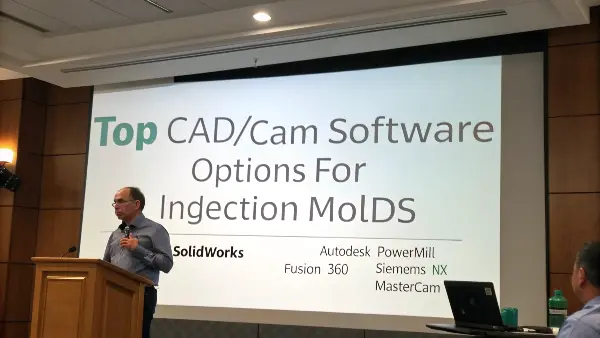
We have utilized several of these systems in my personal business. We began with a more simplified model and then made investments on a more integrated solution as the complexity of the projects of our clients increased. All these tools have their purpose, and the most appropriate one is all about what will be the best in your particular shop. The following is a brief description with my experience.
The Major Players in Mold Making
Each of these software giants has a different strength. Understanding them will help you narrow down your search.
-
SOLIDWORKS: Many consider SOLIDWORKS to be one of the most user-friendly CAD systems. Its mold design tools are very capable for a wide range of products. It’s a fantastic choice for companies that do a lot of product design in addition to mold making. Its CAM capabilities are decent, but many advanced shops pair it with a specialized CAM program like Mastercam.
-
Autodesk (Fusion 360 & PowerMill): Autodesk has a very compelling offering. Fusion 360 is an all-in-one cloud-based platform that combines CAD, CAM, and CAE (simulation) at a very accessible price point. For extremely high-end, complex 5-axis machining, their PowerMill software is a gold standard in the CAM world. This flexibility allows you to scale from simple to highly complex needs within one ecosystem.
-
Siemens NX: This is the heavyweight champion for large enterprises and those making extremely complex molds, like for the automotive industry. It offers a fully integrated, end-to-end solution from design and simulation to manufacturing. The learning curve can be steep and the price is high, but for the right application, its power is unmatched.
-
Mastercam: Mastercam is a CAM specialist. It is the most widely used CAM software in the world for a reason. It is incredibly powerful and versatile for programming toolpaths and can work with files from virtually any CAD system. If your primary focus is on maximizing the efficiency and capability of your machine shop, Mastercam is a top contender.
Here is a simplified comparison to guide your thinking:
| Software | Primary Strength | Ideal User |
|---|---|---|
| SOLIDWORKS | User-Friendly CAD, Strong Design Tools | Shops that need a powerful, easy-to-learn CAD system for general mold design. |
| Autodesk (Fusion/PowerMill) | Scalability and Specialized CAM Power | Businesses of all sizes, from startups to those needing elite 5-axis CAM. |
| Siemens NX | End-to-End Integrated Solution for Complexity | Large companies or those making very high-end, complex molds (e.g., automotive). |
| Mastercam | CAM Power and Versatility | Machine shops focused on maximizing manufacturing efficiency and capability. |
Don’t just take my word for it. Request demos. Talk to other shop owners. Most importantly, run a test project with your own parts to see how the software truly performs for you.
What are the Best Practices for Integrating CAD and CAM in Your Workflow?
Have you ever had the perfect design in CAD turn into a nightmare at the CNC machine? It’s all too familiar when the design and manufacturing teams are poorly aligned. Without an integrated, trouble-free process, you’re inviting trouble from data translation errors, misinterpretation, and version control that costs you time, material, and money.
Efficient integration means having a single source of truth for your mold data. Employ software with excellent associativity, so that modifications in the CAD model automatically reflect in the CAM toolpaths. Agree on communication procedures and standardized file management practices. You are aiming for smooth transfer of information from the designer’s monitor all the way through finish steel with minimal manual re-entry and interpretation errors. That’s the key to a state-of-the-art, efficient mold shop.
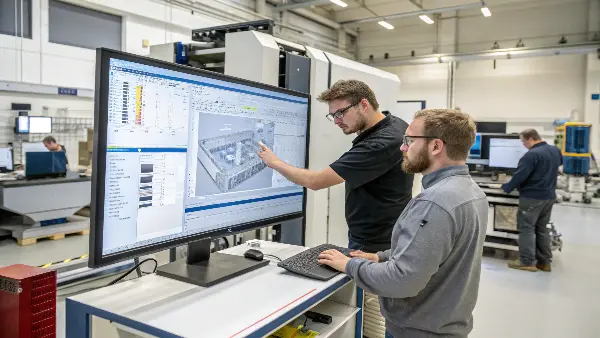
I remember a client who was struggling with this. Their designers would email STEP files to the machinists. If a design was updated, the designer would send a new email with "FINAL_v2_USE_THIS_ONE" in the subject line. You can guess what happened. The machinist used an old version, and an entire block of expensive P20 steel was ruined. We helped them implement an integrated system, and it changed their entire operation. It’s not just about software; it’s about process.
Establish a Single Source of Truth
This is the most important principle. Everyone—from the project manager to the designer to the CNC operator—must work from the same, up-to-date data. Avoid saving files on local desktops or sending them as email attachments. A centralized server or a cloud-based system like Fusion 360 ensures that when a model is updated, everyone sees the change instantly. This eliminates the "which version is correct?" problem forever.
Prioritize Associativity
This ranks among the most significant software characteristics to ask for. Associativity enables your CAD and CAM files to become linked together. Imagine the designer being required to change a draft angle in the mold core. In an associative environment, they change the CAD drawing. When the CAM programmer opens the corresponding file, the software informs them that something’s changed and allows them to quickly re-generate the toolpaths to the new geometry. Without associativiy, they’d have no option other than re-programming all the way from the start, wasting hours and potential for mistakes.
Standardize Your Processes
Great workflows don’t happen by accident; they are designed.
- Create Templates: Develop mold base templates in your CAD software. This saves your designers from starting from scratch every time and ensures consistency.
- Build Tool Libraries: In your CAM software, build a complete and accurate library of all the cutting tools in your shop. This makes programming faster and more accurate.
- Dial-In Your Post-Processors: The post-processor is the crucial link that converts CAM toolpaths into the specific G-code your CNC machine understands. Work with your software provider to ensure your "posts" are perfect for your machines.
A well-integrated workflow builds trust between your teams and turns your design and manufacturing process into a smooth, efficient, and profitable engine.
How Can Advanced CAD/CAM Features Boost Your Mold’s ROI?
Thinking that advanced software features are just expensive, unnecessary extras? It’s a common mistake to focus only on the initial cost. By ignoring tools like simulation and 5-axis machining, you might be missing huge opportunities to improve quality, reduce cycle times, and drastically cut down on costly physical prototypes and rework.
Advanced features directly translate to a higher Return on Investment (ROI). Mold flow simulation helps you predict and fix potential issues like weld lines or air traps before cutting steel, saving immense costs. 5-axis CAM allows you to machine complex geometries in a single setup, improving accuracy and reducing lead times. These aren’t just features; they are powerful tools that reduce waste, increase efficiency, and ultimately make your business more profitable and competitive.
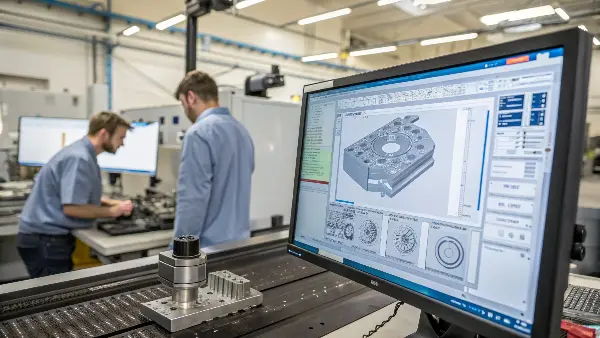
When I invested in our first seat of software with advanced simulation, my business partner was skeptical. He saw the price tag and worried it was a luxury. On our first project using it, the mold flow analysis predicted a major warpage issue in a long, thin part. We redesigned the gate location and cooling channels virtually. The toolmaker for the client told us later that our proactive fix likely saved them over $10,000 in rework and weeks of delays. The software paid for itself on a single job.
Mold Flow Analysis: Preventing Problems Before They Start
This is probably the most effective ROI instrument to an injection molder. It is possible to simulate the whole injection process before you order a single block of steel. You can observe the way the plastic will flow into the cavity, where air may be trapped, etc. weld lines will be formed, and how the part will cool its warp. Preventing these problems on a computer monitor costs you some hours of the engineering time. It is tens of thousands of dollars and your reputation to apprehend them once the mold is constructed.
Advanced Surfacing: Achieving Perfect Finishes
Other products, like consumer electronics or interiors of a vehicle, have a requirement to always be beautiful and pristinely finished, a prerequisite possibly unavailable through standard CAD tools. The capability of advanced surface modeling (Class-A surfacing) enables designers to create extremely smooth continuous surfaces with no imperfections. This is directly transferred to a better quality mold and a superior end product that will enable you to secure more challenging and lucrative contracts.
5-Axis Machining: Unlocking Complexity and Efficiency
Traditional 3-axis CNC machines can only move the tool in X, Y, and Z. A 5-axis machine can also tilt the tool and rotate the part. This is a game-changer. It allows you to machine complex undercut features in a single setup, rather than multiple, time-consuming setups. Fewer setups mean less chance for human error, better accuracy, and dramatically shorter machining times.
These advanced features turn your software from a simple drawing tool into a strategic weapon.
| Advanced Feature | Problem It Solves | Direct ROI Benefit |
|---|---|---|
| Mold Flow Simulation | Warpage, sink marks, weld lines, air traps | Reduces or eliminates costly mold rework and material scrap. |
| Cooling Analysis | Uneven cooling, long cycle times | Optimizes cycle time, increasing machine throughput and profit. |
| 5-Axis CAM | Machining complex parts and undercuts, multiple setups | Reduces machine time and labor, improves part accuracy. |
Don’t just look at the price of the software. Look at the cost of the problems it can solve for you. That’s how you find the true value.
Conclusion
Selecting the appropriate CAD/CAM technology is a strategic move beyond just a technical move; it is a futuristic move that defines the way your company is going. You can make your design and manufacturing process your potent competitive advantage by knowing the basics, assessing your needs in a systematic manner, and using the appropriate tools and processes. Get the tools perfected, and you will be perfect at moulding.