
Are you tired of seeing your perfect plastic parts ruined by tiny black specks? This common defect can lead to customer rejections, increased scrap rates, and endless frustration. You know there’s a problem, but finding the source feels like searching for a needle in a haystack. I want to show you how a careful visual inspection can help you quickly diagnose the root cause and get your production back on track.
Black specks in injection molding are primarily caused by material degradation, foreign contamination, or mechanical issues within the machine. Material degradation looks like burnt, brownish-black streaks that are smeared into the part. Foreign contamination appears as sharp, distinct particles of a different material or color. Mechanical problems, such as a worn screw or barrel, can introduce metallic flakes or specks from old, trapped material. Identifying which type you have is the first critical step to solving the problem efficiently.
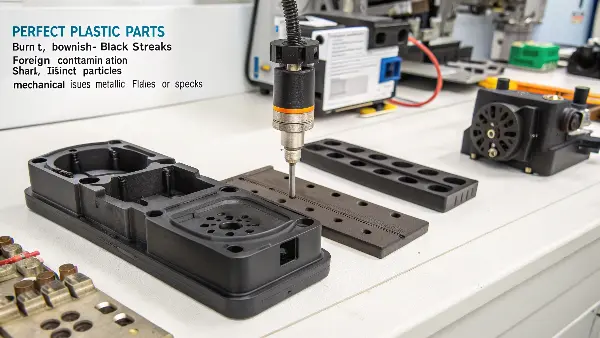
Solving injection molding defects is a process of elimination. I’ve spent years on factory floors, and trust me, jumping to conclusions is the fastest way to waste time and money. You might spend all day cleaning a hot runner system, only to find out the problem was in the raw material sitting in the hopper. Before you start taking machinery apart, let’s learn to read the clues the parts themselves are giving us. Let’s break down the common culprits into simple, identifiable categories.
What Are the Common Causes of Black Specks in Injection Molding?
You’ve just run a production batch and a significant number of parts are dotted with black specks. It’s a quality control nightmare that halts everything. You suspect it could be the material, the machine, or something else entirely, but where do you even begin your investigation? This uncertainty costs you valuable production time. The key is to understand that these specks fall into a few common categories, which we can systematically check.
The most common causes for black specks are separated into three main groups: thermal degradation of the plastic, contamination from external sources, and issues related to the molding machine or the mold itself. Thermal degradation happens when plastic is overheated. Contamination means a foreign particle got into your material. Machine issues often involve worn-out components or old material being shed into the fresh melt. By understanding these three pillars, you can start your troubleshooting process effectively.

To fix a problem, you first need to know exactly what you’re dealing with. It’s like being a doctor for your production line. A symptom like black specks can have many different root causes. In my early days, I once spent a whole day cleaning a mold, convinced it was the source of contamination. It turned out the raw material bags had been stored next to a grinding station, and fine dust was the real culprit. That experience taught me to never assume. Let’s break down each of these common causes so you can accurately diagnose the problem and apply the right cure instead of just treating the symptoms.
Material Degradation
This is perhaps the most frequent cause. It happens when the plastic resin is exposed to excessive heat or stays in the heated barrel for too long. The polymer chains start to break down, or "unzip," and the material essentially burns. Think of it like toast. A little heat is good, but too much turns it black.
- Appearance: These specks often look like dark brown or black streaks. They might appear smeared or elongated in the direction of the plastic flow.
- Common Causes:
- Melt temperature is set too high.
- Residence time is too long (the time plastic sits in the barrel).
- "Dead spots" in the barrel or nozzle where material can sit and cook.
External Contamination
This cause involves anything that isn’t supposed to be in your base material. A foreign particle gets mixed in and shows up as a defect in the final part. The source of contamination can be introduced at any point, from the material supplier to your own factory floor.
- Appearance: These specks are often sharp and have a distinct shape. They look like a foreign body embedded in the part, rather than something that has melted and smeared.
- Common Sources:
- Dust, dirt, or cardboard fibers from the environment.
- Incorrect color concentrate or masterbatch.
- Material from a previous production run that wasn’t properly purged.
Machine and Mold Issues
Sometimes, the equipment itself is the problem. Components wear down over time and can shed small particles into the melt stream.
- Appearance: Specks from machine wear can be metallic and shiny. If the cause is old material from a dead spot in the machine, it will look like a typical degradation speck.
- Common Mechanical Failures:
- Worn screw or barrel surface.
- Damaged check ring or nozzle.
- Scratches or damage inside the mold cavities or hot runner system.
By understanding these categories, you can narrow down your investigation and focus your efforts on the most likely cause.
How Can You Distinguish Between Material Degradation and Contamination?
You see a black speck. Is it burnt plastic or a piece of dirt? Making the wrong call can be costly. You might spend hours purging the machine and cleaning the hopper, only to find the issue was a bad batch of material from your supplier. This misdiagnosis wastes labor, machine time, and material. Learning to spot the subtle visual differences between these two common culprits is a critical skill for any production manager.
You can distinguish between degradation and contamination by examining the speck’s shape and how it’s integrated into the part. Degraded material usually appears as a brownish-black streak that is smeared and fused with the base plastic. Contamination, on the other hand, often looks like a solid, sharp-edged particle with a distinct boundary. It appears as if something foreign was dropped into the plastic. A simple smear test with a tool can sometimes confirm if it’s burnt material.
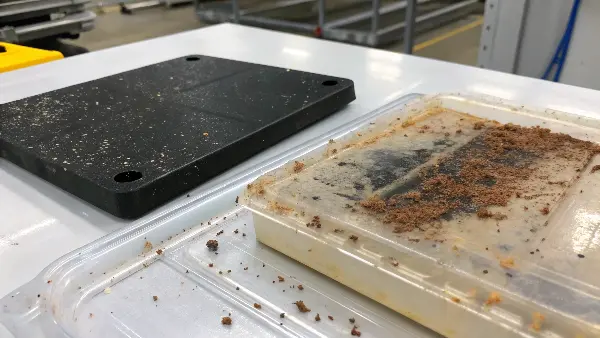
I remember working with a client, Michael, who was producing white medical device components. He was fighting a terrible black speck problem. His team insisted it was contamination and was deep-cleaning the entire facility. I asked to see one of the defective parts. Under a magnifying glass, I pointed out that the specks were actually dark brown and had tails, smearing in the direction of flow. It was classic degradation, not contamination. We lowered the barrel temperature by 10 degrees Celsius and slowed the screw speed slightly. The specks vanished. That one simple visual observation saved them days of unnecessary work. Let’s dive deeper into the clues you should look for.
Visual Clue Analysis
The best way to differentiate between these two issues is to grab a magnifying glass and play detective. Look closely at the defect and ask yourself a few key questions.
Shape and Edges
- Degradation: The speck often lacks a defined shape. It may look like a smear, a streak, or a comet with a tail. The edges will be fuzzy and blended into the surrounding plastic because the burnt material was part of the original melt.
- Contamination: The particle usually has sharp, well-defined edges. It looks like a separate entity that is trapped within the plastic. You can often make out its original shape, whether it’s a fiber, a granule, or just a random chunk.
Color and Consistency
- Degradation: The color is typically on a spectrum from dark brown to black. If you can get the speck out of the part, it will often crush into a fine powder, much like ash.
- Contamination: The color can be anything. It might be a different colored plastic from a previous run, a piece of metal (silver), cardboard (brown), or just plain-old dirt (black). It will usually feel solid and won’t crush as easily as carbonized material.
Here is a simple table to help you compare the characteristics:
| Feature | Material Degradation | Foreign Contamination |
|---|---|---|
| Shape | Streaky, smeared, often with a "tail" | Distinct, sharp-edged, defined shape |
| Color | Dark brown to black | Can be any color (black, blue, silver, etc.) |
| Fusion | Blended into the base material | Appears as a separate, embedded particle |
| Source Clue | Indicates processing issues (temp, time) | Indicates poor material handling or hygiene |
| Texture | Can be crushed into a fine, brittle powder | Often solid and hard |
By carefully observing these details, you can make a much more accurate diagnosis and apply the correct solution, saving yourself significant time and resources.
What Role Does the Molding Machine Itself Play in Creating Black Specks?
You’ve checked your material, and your handling procedures are perfect, but the black specks persist. It’s incredibly frustrating when you’ve eliminated the most obvious causes. This often leads to blaming the material supplier or operators, causing friction and delaying a real solution. But what if the problem isn’t what goes into the machine, but the machine itself? Your molding press is a complex piece of equipment, and its internal components can become a hidden source of defects.
The molding machine contributes to black specks when its components, like the screw, barrel, or nozzle, become worn or create "dead spots" where plastic can stagnate and burn. Worn metal surfaces can shed fine metallic particles that appear as specks. Dead spots in the flow path trap material, cooking it over time until it degrades, breaks off, and flows into the mold. Regular preventative maintenance and inspection of these key components are essential for prevention.
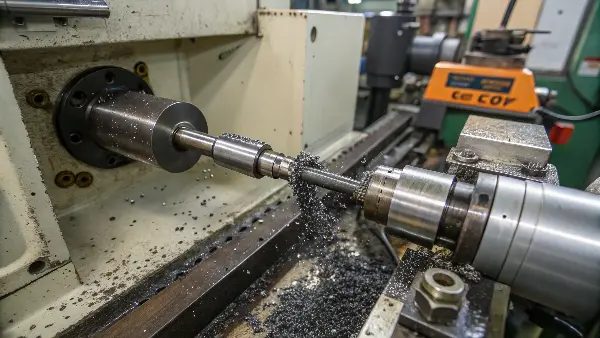
The injection molding machine is the heart of the operation, but we sometimes forget it’s a dynamic system with parts that are under immense pressure and heat. These parts wear out. I was once touring a facility that made clear polycarbonate parts, and they had a recurring issue with tiny, silver-black specks. They had tried everything—new material, a new mold, even a new operator. I asked them when they last pulled and inspected the screw. They hadn’t done it in over a year. When they finally did, they found the screw flights were chipped and worn. The machine was literally grinding itself up and depositing tiny metal flakes into their parts. Let’s look at the specific areas of the machine that you need to monitor.
The Screw and Barrel Assembly
This is the primary area where plastic is melted and conveyed. It’s also the most common machine-related source of black specks.
- Wear and Tear: The screw and the inner wall of the barrel are in constant contact under high pressure. Over time, this friction can cause the hardened metal surfaces to wear down. This wear can release microscopic metal particles into the plastic melt, which then appear as black or silvery specks in the final product. Aggressive materials like glass-filled nylons accelerate this wear significantly.
- Dead Spots: Imperfections, scratches, or non-return valve designs can create areas where plastic melt doesn’t flow smoothly. Material gets trapped in these "dead spots," where it sits at high temperature for extended periods. It eventually degrades into carbon, breaks free, and contaminates the fresh melt stream.
The Nozzle Assembly
The nozzle is the final point of contact before plastic enters the mold. It is a high-pressure, high-temperature zone that is prone to issues.
- Nozzle Tip Dead Spots: Similar to the barrel, the nozzle tip can have designs that create dead spots. Burnt material can accumulate here and periodically release into the mold.
- Improper Sealing: If the nozzle doesn’t seal perfectly against the mold’s sprue bushing, a small amount of plastic can leak out and degrade on the hot nozzle body. This burnt material can then be pulled back into the next shot, causing specks.
The Hot Runner System
If your mold has a hot runner, it introduces another complex melt path that can be a source of trouble.
- Manifold Dead Spots: Hot runner manifolds, especially those with complex geometries, can have sharp corners or poorly designed flow channels that create dead spots. Material degrades in these spots and contaminates the parts. This is often difficult to diagnose because you can’t see inside the hot manifold during operation. Purging compounds are essential for cleaning these systems.
Regularly scheduled inspection and maintenance of these machine components are not just best practices; they are essential for preventing these types of hard-to-diagnose defects.
What Visual Clues Help Identify the Root Cause of Black Specks?
You’re standing there with a defective part in your hand, dotted with black specks. You know the general causes, but how do you connect this specific speck to a specific problem? Just guessing is inefficient. You need a systematic way to interpret the evidence in front of you. Without a clear diagnostic method, you’ll find yourself tweaking random settings, hoping to get lucky. A more structured approach, based on visual clues, can point you directly to the solution.
The most effective visual clues for identifying the root cause of black specks are their distribution, shape, and frequency. Are the specks random or in the same spot on every part? Random specks often point to contamination. Specks in the same spot suggest a mold or hot runner issue. Streaky, smeared specks indicate material degradation. By analyzing these patterns, you can create a highly accurate hypothesis about the problem’s origin before you even touch the machine.
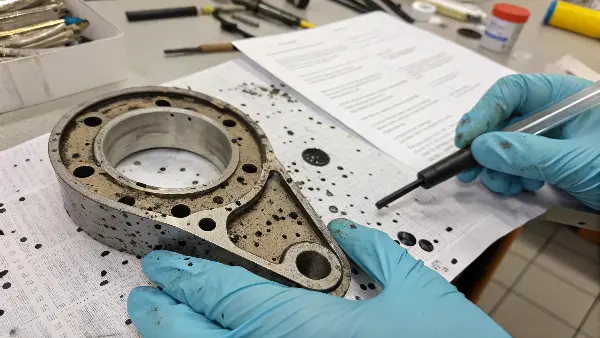
The real skill in injection molding troubleshooting is learning to read the language of the plastic part. Each defect tells a story about its journey through the machine and into the mold. I like to lay out 10-20 defective parts on a table and look for patterns. Are the specks on every part? Are they only on parts from a specific cavity? Do they appear at the beginning of the run or after the machine has been idle? Answering these questions builds a profile of the defect. This profile is your roadmap, guiding you to the source of the problem much faster than a trial-and-error approach ever could. Let’s break down this diagnostic process.
Step 1: Analyze the Distribution
Where the specks appear on the part and from shot to shot is your first major clue.
- Random Specks, Random Locations: If the specks appear randomly on different areas of the part and not on every part, the cause is likely contamination. This could be dirt in the hopper, a contaminated batch of material, or dust from the environment. The randomness suggests the contaminant is being introduced inconsistently.
- Specks in the Same Location on Every Part: If the black speck is in the exact same spot on every single part that comes out of the mold, the problem is almost certainly in the mold or hot runner system. It could be a small burr, a scratch in the cavity, or a dead spot in a hot runner drop that is trapping and burning material.
- Specks Appearing in Cycles: If you see a burst of specks for a few shots, then it clears up, then comes back again, this can point to an issue with the screw or barrel. It often means a chunk of degraded material has broken free from a dead spot and is passing through the system.
Step 2: Examine the Shape and Form
As we discussed earlier, the shape of the speck itself is a powerful indicator.
| Speck Appearance | Likely Cause | Next Steps |
|---|---|---|
| Streaky, smeared, brown/black | Material Degradation | Check temperatures, residence time. Use a purging compound. |
| Sharp, defined, distinct particle | Foreign Contamination | Inspect hopper, material supply, and surrounding environment for hygiene. |
| Shiny, metallic flakes | Machine Wear | Inspect screw, barrel, and check ring for signs of wear. |
| Greasy or oily residue | Hydraulic Leak / Lubricant | Check for leaks near the nozzle or mold. Ensure proper lubrication practices. |
Step 3: Consider the Timing
When the specks appear during the production run can also provide clues.
- Specks at Startup: A few black specks at the beginning of a run can be normal, as it might be residual material from the previous shutdown. However, if it continues, it could mean the shutdown/startup procedure is flawed.
- Specks After an Interruption: If the machine is paused for a period and specks appear on the first few shots when it restarts, this is a strong sign of material degradation due to prolonged residence time in the hot barrel.
- Specks That Worsen Over Time: If the problem gets progressively worse throughout a long production run, it could indicate machine wear or the slow buildup of degraded material in a dead spot.
By combining these three analytical steps—distribution, shape, and timing—you can move from simply seeing a defect to truly understanding its origin.
Conclusion
Black specks in your injection molded parts are a frustrating but solvable problem. The key is to avoid guesswork and use a methodical approach. By carefully examining the specks’ appearance, location, and timing, you can accurately diagnose whether the root cause is material degradation, contamination, or a mechanical issue. This allows you to apply the right fix the first time, saving valuable time, material, and money, helping you deliver perfect parts to your customers.