
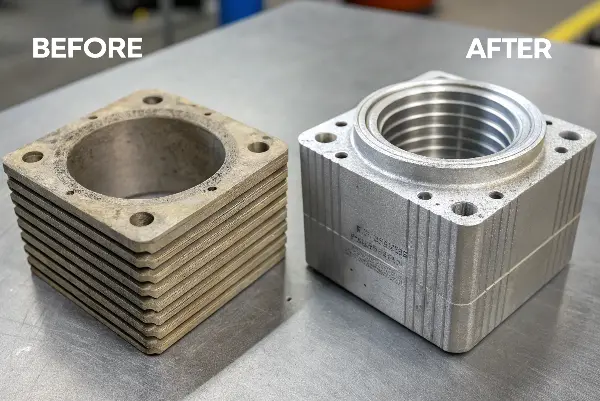
Are you tired of your 3D-printed prototypes looking good but failing under the slightest pressure? It’s frustrating to spend hours designing and printing a part, only for it to snap during a functional test. This wastes valuable time and resources, and it can delay your entire project. But what if you could use that same FDM printer to create parts strong enough for real-world use, moving your project forward with confidence?
An FDM prototype becomes functional when its print strategy is designed around the load, temperature, interface and failure mode. The same CAD shape can be strong in one orientation and weak in another because layer adhesion and bead direction are directional. Wall count, infill, bridges, supports, fasteners, post-processing and conditioning should be selected from the intended use rather than visual appearance.
Related engineering resources: prototype injection molding | DFM analysis | mold testing and validation
To create truly functional plastic parts with FDM, you need to focus on three key areas beyond basic printing. First, select high-performance materials like PETG, ASA, or Nylon instead of standard PLA. Second, optimize your slicer settings for strength by increasing wall perimeters, using higher infill percentages with strong patterns like gyroid, and fine-tuning print temperatures for maximum layer adhesion. Finally, apply post-processing techniques like annealing to enhance durability and dimensional accuracy, transforming your print into a robust, functional part.
Beyond PLA: Which Advanced Material Is Right for Your Functional Prototype?
You’ve chosen a design, but now you’re stuck deciding on a material. Printing with standard PLA is easy, but you know it won’t survive the functional testing you have planned. The thought of your prototype failing because of a poor material choice is a major concern. The good news is that a world of advanced filaments is available, each with unique properties designed for performance. Choosing the right one is the first step toward success.
The right advanced material depends entirely on your prototype’s application. For parts needing toughness and moderate heat resistance, PETG is an excellent, easy-to-print choice. If your part will be outdoors or exposed to UV rays and heat, ASA is superior due to its weather resistance. For applications requiring high strength, durability, and fatigue resistance, like gears or living hinges, Nylon is the industry standard, though it requires more careful handling and printing conditions.
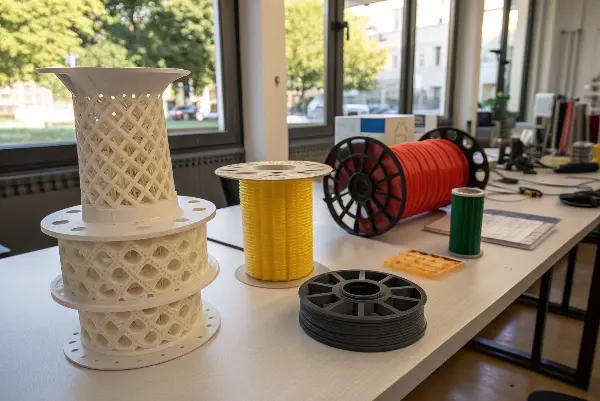
Understanding Material Properties
To make an informed choice, you need to understand the key differences between these materials. Let’s break it down.
| Material | Key Strengths | Common Weaknesses | Ideal Use Cases |
|---|---|---|---|
| PLA | Easy to print, low warp, good detail | Brittle, low heat resistance | Visual models, non-functional prototypes |
| PETG | Tough, good chemical resistance, low shrinkage | Can be stringy, poor bridging | Jigs, fixtures, mechanical parts |
| ABS | Strong, high heat resistance, machinable | Warps easily, requires enclosure, strong fumes | Automotive parts, enclosures, functional parts |
| ASA | UV and weather resistant, similar to ABS | Requires enclosure, can be pricey | Outdoor enclosures, garden tools, car parts |
| Nylon | Excellent strength, flexible, wear-resistant | Absorbs moisture (hygroscopic), needs drying | Gears, living hinges, high-wear components |
Thinking about this table, you can see there’s a trade-off for every choice. Nylon is incredibly strong, but if you don’t dry it properly before printing, you’ll get a weak, bubbly mess. ABS is great for heat resistance, but printing it without an enclosure is a recipe for warped, failed parts. Your job is to balance these properties against your specific needs and your printing capabilities.
Are Your Slicer Settings Sabotaging Your Part’s Strength?
You’ve selected a high-strength filament, but your prints are still failing along the layer lines. This is a common and incredibly frustrating problem. You might blame the material, but the real culprit is often hiding in plain sight: your slicer settings. The default “fast print” profile is designed for speed, not for mechanical strength, and using it for a functional part is setting yourself up for failure. But with a few key adjustments, you can unlock your material’s true potential.
Yes, your slicer settings are likely sabotaging your part’s strength if you haven’t optimized them for durability. To fix this, focus on increasing the number of walls (perimeters) to at least 4-6, as the outer shell provides most of the part’s strength. Also, increase the infill percentage to 40-60% using a strong pattern like gyroid or cubic. Finally, slightly increase your printing temperature to promote better layer-to-layer adhesion, which is critical for preventing parts from splitting under load.
Critical Settings for Mechanical Strength
Think of these settings as the levers you can pull to dial in the suitable balance of strength, speed, and material usage.
- Wall/Perimeter Count: This is your number one tool for strength. The walls form the solid outer skin of your part. Most of a part’s resistance to bending and tension comes from its walls. For functional parts, I Do not go below 4 walls, and for high-stress applications, I might use 6 or even 8. It adds print time, but it’s worth it.
- Infill Percentage and Pattern: While the walls are most important, infill provides internal support and prevents the walls from deforming under compression. A 100% solid part is often overkill and wasteful. I find that 40-60% is a great sweet spot for most functional parts. The pattern matters too. A
GridorLinespattern is fast, but patterns likeGyroid,Cubic, orTrianglesprovide strength in multiple directions, making the part much more robust. - Layer Height: It’s tempting to use a small layer height for a smooth finish, but this can create more potential failure points. For strength, a slightly larger layer height (e.g., 0.2mm to 0.28mm on a 0.4mm nozzle) often results in better layer adhesion and a stronger part, as there is more surface area being fused together.
- Print Temperature and Speed: You need to give the layers time to melt and fuse properly. Printing too fast or too cold will result in weak layer bonds. Consider printing at the higher end of the filament’s recommended temperature range and slowing down the print speed, especially for the outer walls. This ensures a strong weld between each layer.
Mastering these settings takes some experimentation, but once you find the right combination for your material and printer, you’ll be amazed at the results.
How Can You Design FDM Parts for Maximum Durability?
You’ve got the right material and the suitable slicer settings, but you’re still not getting the performance you need. It’s easy to overlook a critical factor: the design itself. A part designed for injection molding or CNC machining will often fail when printed on an FDM machine. This is because FDM has unique strengths and weaknesses, particularly the layer lines, which must be accounted for during the design phase. How can you adapt your designs specifically for FDM printing?
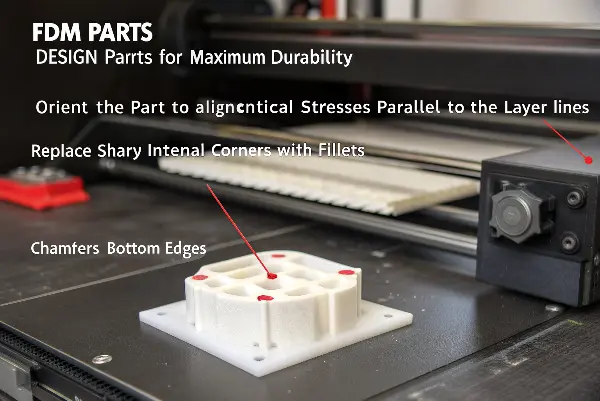
To design FDM parts for maximum durability, you must design with the printing process in mind. First, orient the part so that critical stresses are applied parallel to the layer lines, not perpendicular to them, to prevent delamination. Second, replace sharp internal corners with fillets to distribute stress and prevent cracks from forming. Finally, incorporate design features like chamfers on bottom edges to reduce warping and ensure a solid foundation for the print.
Key Design Principles for FDM
Optimizing Print Orientation
This is the most important consideration. FDM parts are anisotropic, meaning they are much stronger in the X and Y axes (along the printed layers) than in the Z-axis (across the layers). Imagine a stack of paper; it’s easy to tear a single sheet off (Z-axis force), but it’s very hard to rip the whole stack in half (X/Y-axis force). Generally analyze the forces your part will experience and orient it in the slicer so those forces run parallel to the build plate.
Using Fillets and Chamfers
Sharp internal corners are stress concentrators. When a part is under load, all the force gets focused on that sharp point, which is where a crack will start. By adding a rounded fillet to an inside corner, you spread that stress over a much larger area. On the outside, adding a 45-degree chamfer to the bottom edges of your part can help combat warping and peeling from the build plate, giving your print a better chance of success.
Avoiding Large Overhangs and Bridging
While modern printers are good at handling overhangs, they are still areas of weakness. The material droops slightly as it prints, leading to poor layer adhesion and a rough surface. If possible, design your part to be self-supporting or split it into multiple pieces that can be printed in optimal orientations and assembled later. This often results in a much stronger final product than trying to print a complex, all-in-one piece.
Can Post-Processing Really Transform a Prototype into a Functional Part?
Your part is off the printer, the design is solid, and the settings were suitable. It feels strong, but is it as good as it can be? Many people stop here, but they’re missing the final, transformative step. Post-processing often seems like an optional extra for aesthetics, but for functional parts, it can be a critical manufacturing step. You might wonder if the extra time and effort are truly worth it. Can these techniques really make a measurable difference in performance?
Absolutely. Post-processing can dramatically improve the mechanical properties of an FDM part, transforming it from a prototype into a functional component. Techniques like annealing use heat to relieve internal stresses and increase layer fusion, significantly boosting a part’s strength and heat resistance. Other methods, like adding threaded inserts or chemical smoothing, enhance its usability and durability, making it ready for real-world applications where a raw print would fail.
I learned the power of post-processing the hard way. We were developing a custom enclosure for an electronics device that got quite warm during operation. The prototype, printed in ABS, fit reliably. But when we tested the device, the heat from the circuit board caused the enclosure to warp and deform within an hour. We were about to switch to a much more expensive material, but first, we decided to try annealing the ABS part. We baked it in an oven following a precise temperature cycle. The result was amazing. The annealed part was not only stronger but also held its shape reliably at operating temperature, saving the project.
Effective Post-Processing Techniques
Here are a few of the most impactful techniques you can use.
- Annealing: This is the process of heating a plastic part to a temperature just below its melting point and then letting it cool down slowly. This allows the internal polymer chains to relax and recrystallize, which relieves stresses created during printing and dramatically improves layer adhesion and thermal stability. It’s especially effective for materials like PLA, PETG, and ABS. It can cause some minor shrinkage, so you may need to scale your model up slightly before printing.
- Adding Threaded Inserts: FDM-printed threads are notoriously weak and wear out quickly. Instead of printing threads, design holes where you can install heat-set threaded inserts. These small metal components are heated with a soldering iron and pressed into the plastic. As the plastic melts and re-solidifies around the insert’s knurled exterior, it creates an incredibly strong and durable metal thread, suitable for parts that need to be assembled and disassembled repeatedly.
- Chemical Smoothing: For materials like ABS and ASA, exposing the part to solvent vapor (like acetone) can melt the outer surface, smoothing out the layer lines. While this is often done for aesthetics, it also has a functional benefit: by melting the layers together, it can improve the part’s strength, especially its watertightness and tensile strength along the Z-axis. This must be done with extreme caution in a well-ventilated area with proper safety equipment.
Orient Layers Along the Load Path
Map tension, bending, shear, peel and impact before choosing build direction. Avoid placing a critical tensile or snap-fit load across weak layer interfaces when the geometry can be rotated or reinforced. Record orientation because it is part of the prototype specification.
Use Walls and Infill Deliberately
Perimeters often carry more useful load than sparse infill, while local ribs or thicker sections can protect bosses and fasteners. Too much infill can increase print time and residual stress without solving the actual failure. Use a coupon or small experiment when the load is critical.
Control Heat, Warpage and Surface
Nozzle temperature, bed temperature, cooling, chamber conditions, layer height and print speed influence bonding, shrinkage and flatness. Large flat parts may need corner relief or a different build strategy. Surface roughness can affect seals, friction and appearance evaluation.
Design Fasteners and Interfaces for the Process
Printed threads, holes, snap fits and press fits need clearance and orientation appropriate to the layer structure. Use heat-set inserts or separate hardware when repeated assembly matters. Measure the actual fit after conditioning rather than trusting nominal CAD clearance.
Test the Prototype as a Printed Part
Record material, printer, nozzle, orientation, layer height, walls, infill and post-processing. Test the relevant load, temperature, impact, fatigue or assembly condition and note failure location. Do not transfer FDM results directly to injection-molded material without identifying the process differences.
Advanced FDM Prototyping: Buyer Review Checklist
- Orient layers from the real load path and document build direction.
- Select perimeters, infill, ribs and bosses from the failure mode.
- Control temperature, cooling, chamber, layer height, speed and flatness.
- Design threads, holes, snaps and inserts for printed anisotropy.
- Test with recorded print parameters and separate FDM evidence from molded evidence.
Frequently Asked Questions
Can FDM prototypes replace injection-molded functional samples?
Sometimes for early fit or directional load learning, but FDM anisotropy, surface, porosity and thermal history may not represent molded behavior.
Is higher infill generally stronger?
Not necessarily. Orientation, perimeters, layer adhesion, geometry and load direction can matter more than simply increasing infill percentage.
Conclusion
Creating functional, durable parts with an FDM printer isn’t about having the most expensive machine. It’s about a holistic approach. By carefully selecting advanced materials, optimizing your slicer settings for strength, designing parts with the printing process in mind, and applying the right post-processing techniques, you can reliably produce components that go far beyond simple visual models. This knowledge empowers you to turn your ideas into working solutions faster and more affordably.