
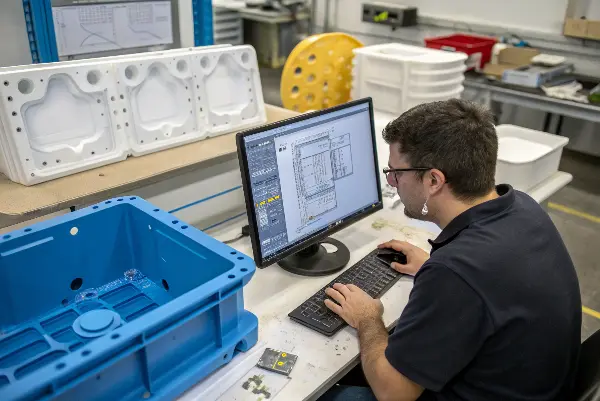
You have a great product idea, but the first physical prototype comes back flawed. It’s weak, warped, or doesn’t fit right. Now you’re facing costly redesigns and delays, pushing your launch date further away. What if you could get it right the first time by tailoring your design to the specific prototyping method you choose?
A prototype should be designed to learn efficiently, not merely to resemble the final CAD file. Clear datums, test points, replaceable features, accessible fasteners, realistic loads and documented method limits make prototypes easier to evaluate. At the same time, the design should preserve the production intent so that prototype findings transfer into injection molding rather than creating a separate geometry that hides manufacturing risk.
Related engineering resources: DFM analysis | prototype injection molding | mold design
Optimizing your design for plastic prototyping involves tailoring your CAD model to the specific manufacturing technique. For 3D printing, focus on orientation and support structures. For CNC machining, consider tool access and minimum corner radii. For rapid injection molding, incorporate features like draft angles and uniform wall thickness. Matching your design’s geometry to the process’s strengths and limitations is the key to creating successful, functional prototypes efficiently and cost-effectively.
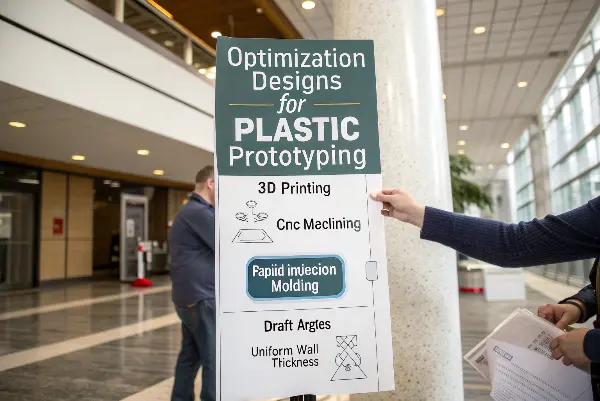
Getting that first prototype right feels like a huge win. It saves time, money, and a lot of headaches. But the path to a suitable prototype isn’t a one-size-fits-all journey. The choices you make in your design file are deeply connected to the manufacturing method you select. To really nail it, we need to break down the specifics.
How Do You Optimize Designs for 3D Printing Prototypes?
You’ve sent your design to the 3D printer, excited to hold your idea in your hands. But the result is a stringy mess with visible layer lines and weak points. Hours of printing time and material are wasted, and your prototype isn’t functional. There’s a smarter way to design for 3D printing that avoids these common pitfalls and delivers strong, accurate parts every time.
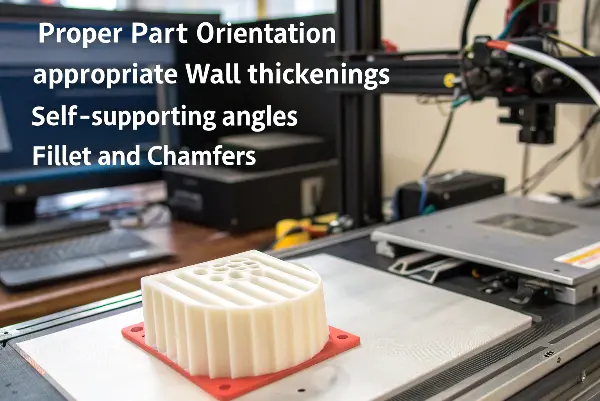
To optimize designs for 3D printing, focus on part orientation to minimize supports and maximize strength along critical axes. Ensure wall thicknesses are appropriate for the chosen technology (e.g., FDM vs. SLA). Design with self-supporting angles (typically 45 degrees) to reduce the need for support structures, which saves time and material and improves surface finish. Also, incorporate features like fillets and chamfers to relieve stress and prevent warping, especially on sharp corners.
Maximize Strength Through Orientation
Before you even think about hitting “print,” consider how the part will be used. If a part, like a simple bracket, will be under a bending force, you should orient it so the layers are not aligned with the point of highest stress. I generally orient long, thin features to lie flat on the build plate rather than standing vertically. This simple change can be the difference between a prototype that works and one that snaps instantly.
Design to Minimize Supports
Support structures are a necessary evil in 3D printing, but they add time, cost, and leave marks on your part’s surface. A well-optimized design needs fewer of them. A key rule is the “45-degree rule,” which states that most printers can handle overhangs up to 45 degrees from the vertical without needing support. Designing with this in mind, using chamfers instead of steep overhangs, can dramatically improve the final part.
Technology-Specific Design Rules
Not all 3D printers are the same. The rules for a simple FDM printer are different from a high-resolution SLA or a robust SLS machine. Understanding these differences is key.
| Feature | Fused Deposition Modeling (FDM) | Stereolithography (SLA) | Selective Laser Sintering (SLS) |
|---|---|---|---|
| Min. Wall Thickness | 0.8 – 1.2 mm | 0.4 – 0.6 mm | 0.7 – 1.0 mm |
| Key Consideration | Layer adhesion & orientation | Support removal & resin drainage | Warping & powder removal |
| Best for | Low-cost form/fit tests | High-detail, smooth surfaces | Complex, functional parts |
By keeping these specific constraints in mind, you can create a design that is not just printable but is truly optimized for the technology.
What Are the Key Design Considerations for CNC Machined Prototypes?
Your CNC machined prototype looks great, but the cost was way higher than you expected. You notice tool marks in tight corners and some features aren’t as sharp as in your CAD model. This is because the design wasn’t optimized for the subtractive process, forcing complex setups and specialized tooling. You can avoid this sticker shock and get better results by designing with the machine in mind from the start.
For CNC machined prototypes, design with tool access in mind. Avoid deep, narrow pockets and use generous inside corner radii that match standard tool diameters. Keep wall thicknesses uniform and avoid features that require complex machine setups, like features on multiple faces. By simplifying geometry and designing for manufacturability, you can significantly reduce machining time and cost while improving the part’s quality.
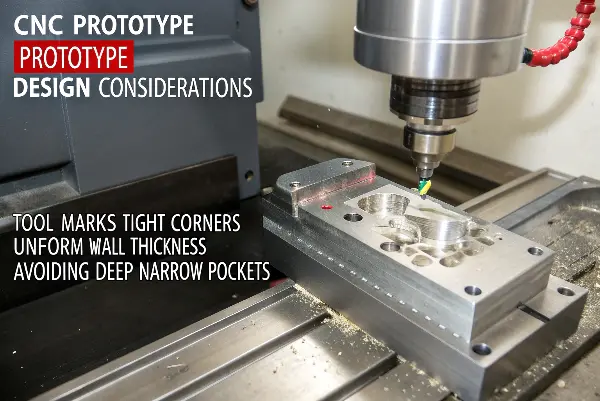
I’ve worked with many clients who send over beautiful, complex designs that are a nightmare to machine. CNC machining is a subtractive process; a cutting tool carves away material from a solid block. The shape, size, and reach of that tool dictate everything. If the tool can’t get to a feature, it can’t be cut. It’s that simple. Thinking like a machinist is the most important skill you can develop for designing CNC parts.
Accommodate the Cutting Tool
Every internal corner in your design will have a radius left by the cutting tool. You simply cannot machine a reliably sharp internal corner. Instead of fighting this, design for it. A good rule of thumb is to make your inside corner radius slightly larger than the radius of the cutting tool. A practical approach is to a radius of at least 1/8 inch (or 3mm), as this allows for a sturdy and common tool size. The deeper a pocket is, the larger the radius should be to allow for a longer, more rigid tool.
Simplify and Standardize
Every time the machine has to be stopped to rotate the part or change a tool, the cost goes up. If you can design your part so that all features can be machined from one or two setups (e.g., top and bottom), you will save a lot of money. Avoid thin walls, as they are prone to vibration and can result in a poor surface finish or even break during machining. Also, stick to standard hole sizes that correspond to common drill bits. Custom sizes require special tools, which adds unnecessary cost and lead time to your prototype.
Material Choice Matters
The material you choose has a direct impact on how the part can be designed and machined.
| Material | Machinability | Key Design Consideration |
|---|---|---|
| ABS | Excellent | Prone to melting if feed rates are too high. |
| Polycarbonate (PC) | Good | Tough material; requires sharp tools and slower speeds. |
| Delrin (POM) | Excellent | Very stable and easy to machine to tight tolerances. |
| PEEK | Fair | High-temp plastic; requires specialized cutting tools. |
Choosing a material like Delrin or ABS for an early prototype can make machining much faster and cheaper, allowing you to focus on validating the form and fit without breaking the budget.
How Can You Prepare a Design for Rapid Injection Molding Prototypes?
You’ve validated your design with 3D printing and CNC, and now you’re ready for a small production run. You send your file for a rapid injection molding quote, but it comes back with requests for major design changes. The quote is high, and the lead time is long. This happens when a design isn’t ready for the realities of molding, where melted plastic must flow, cool, and be ejected cleanly.
To prepare a design for rapid injection molding, you must incorporate three key features: draft angles, uniform wall thickness, and rounded corners. Draft angles (typically 1-2 degrees) are essential for releasing the part from the mold. Consistent wall thickness prevents defects like sink marks and warping. Radiused corners improve plastic flow and reduce stress concentrations. Designing with these principles from the start is non-negotiable for successful molding.
The Golden Rules of Moldability
If you remember nothing else, remember these three things for injection molding design. They are the foundation of every successful molded part I’ve ever produced.
- Draft, Draft, Draft: Every surface parallel to the direction the mold opens and closes needs a slight angle, or draft. As the plastic part cools, it shrinks onto the mold core. Without draft, the friction is too high, and the part will be scraped, damaged, or stuck during ejection. Even a single degree of draft makes a world of difference.
- Keep Walls Consistent: When melted plastic flows into a mold, it needs to cool evenly. If you have a thick section next to a thin one, the thick section will cool much slower. This causes the material to shrink at different rates, leading to ugly sink marks, internal voids, or a completely warped part. Project teams should aim for a uniform wall thickness throughout their design. If thickness changes are unavoidable, make the transition as smooth and gradual as possible.
- Round All Corners: Sharp corners are weak points. They concentrate stress, making the part more likely to crack under pressure. They also disrupt the flow of molten plastic into the mold, which can cause incomplete filling. Adding a generous radius (fillet) to both inside and outside corners solves both problems.
Avoiding Common Defects
A few simple design choices can prevent the most common molding headaches.
| Defect | Cause | Design Solution |
|---|---|---|
| Sink Marks | Non-uniform wall thickness | Maintain uniform walls; use ribs instead of thick sections. |
| Warping | Uneven cooling or high stress | Ensure uniform walls; add ribs for stiffness. |
| Short Shot | Plastic doesn’t fill the mold | Use rounded corners; ensure walls are not too thin. |
| Flash | Plastic escapes between mold halves | Design with a flat, simple parting line. |
By thinking about these potential issues during the CAD phase, you are not just designing a part; you are designing a successful manufacturing process. This forethought saves more time and money than any other step in the product development cycle.
Define the Prototype’s Evidence Plan
Mark critical interfaces, load paths, cosmetic zones, assembly features and dimensions that must be measured. Decide which prototype features can be simplified and which must match production. A visible test point or removable insert can make iteration faster without weakening the learning objective.
Use Stable Datums and Inspection Access
Define primary, secondary and tertiary datums that work across printed, machined and molded versions. Provide access for calipers, CMM, gauges or functional fixtures. If a prototype cannot be located repeatably, dimensional conclusions become difficult to trust.
Avoid Prototype-Only Geometry Traps
Supports, thickened walls, split lines, added bosses and temporary fasteners may help fabrication but can change stiffness, cooling or assembly. Label these changes and maintain a production-intent version. A prototype shortcut should not become an unreviewed production requirement.
Design Interfaces for Iteration
Use replaceable covers, inserts, shims, brackets or modular subcomponents where the design is uncertain. Define clearance, snap-fit, screw, seal and connector tests so one change does not require remaking the entire assembly. Capture what the interface teaches about tolerance stack and use variation.
Prepare for DFM and Tooling Handoff
Use wall, draft, radii, ribs, parting, gates, vents and shrinkage assumptions that can be reviewed later. Record which features were not validated by the prototype method. This makes the transition to mold design honest and efficient.
Optimize Plastic Part Design for Prototyping: Buyer Review Checklist
- Mark test dimensions, loads, interfaces, cosmetic zones and simplifications.
- Use repeatable datums and provide access for the intended inspection method.
- Separate production-intent geometry from fabrication-only supports or changes.
- Make uncertain interfaces modular and testable.
- Document method limits and convert findings into DFM and mold decisions.
Frequently Asked Questions
Should a prototype use final production wall thickness?
When stiffness, heat, assembly or molding behavior matters, yes or as close as the method allows. If the thickness changes, document how that limits the conclusion.
Why are datums important in prototypes?
They make parts from different methods and revisions comparable. Without repeatable location, dimensional and assembly results can be dominated by setup variation.
Conclusion
Optimizing your plastic prototype design isn’t about one magic formula. It’s about understanding how your chosen manufacturing method—be it 3D printing, CNC machining, or injection molding—works. By tailoring your design to the specific strengths and limitations of the process, you can avoid costly errors, reduce lead times, and create prototypes that are not just models, but true steps toward a successful final product.