
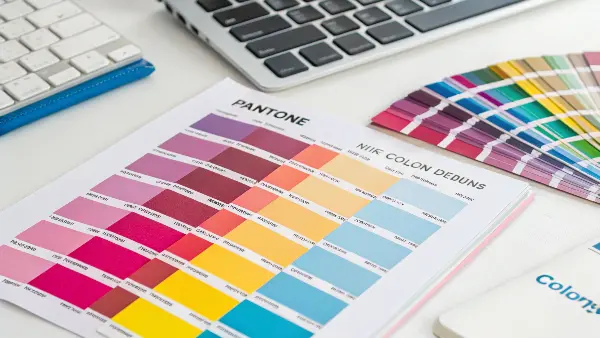
Have you ever signed off on a bright color on your screen only to find that the final, physical product looks dull and completely different? Such color mismatch can undermine a product launch with expensive reprints and delays that will harm your brand’s reputation. Understanding how to correctly convert between RGB, CMYK, and Pantone is the key to ensuring your colors are accurate from digital design right to physical product, every single time.
Converting RGB or CMYK artwork to a Pantone reference is useful for communication, but it does not create a physically exact injection-molded color. RGB describes emitted light from a display and CMYK describes a printing process; plastic color is produced by pigments or dyes in a resin and viewed through a particular surface and light. A controlled conversion workflow reduces disagreement between design, compounder, molding supplier and customer.
Related CKMOLD resources: production injection molding, mold design, mold testing and validation.
Use calibrated digital files and the relevant graphics workflow to interpret RGB/CMYK artwork, but do not treat the Pantone Color Bridge as the plastic color master. Color Bridge is a graphics and print comparison tool. For a molded product, select an agreed Pantone Plastic Standard Chip where available or a customer-approved physical master, then develop the color in the production resin.
Getting color right feels like it should be simple, but it’s a common headache for many business owners I work with. They see one color on their computer and get something completely different from the factory. It’s a frustrating and expensive problem. But don’t worry, it is a problem we can solve.
What Are the Core Differences Between RGB, CMYK to Pantone?
Pick the wrong color mode for a project, and the results can be completely unexpected. A beautiful design on screen can become a muddy mess in print, and you’ll be on the phone explaining to your client why the colors are all wrong. That erodes trust and hurts the bottom line. Understanding the basic differences between RGB, CMYK, and Pantone empowers you to choose correctly from the outset, ensuring what you see on screen is what you get on your product.
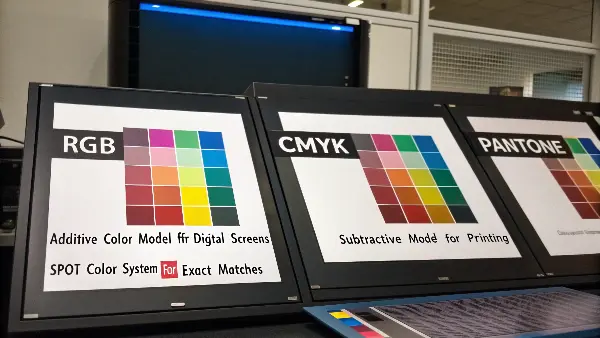
RGB is the additive color model for digital screens. It creates color by adding light. CMYK (Cyan, Magenta, Yellow, Key/Black) is a subtractive model used in printing, where colors are created by absorbing light through ink on a surface. Pantone is the system of spot colors created using pre-mixed inks that support the exact color match every time, which is crucial for branding. Use RGB when working digitally, CMYK for standard printing, and Pantone for precision color jobs.
Understanding the Language of Color
Here is a simple table to help you remember the differences:
| Feature | RGB (Red, Green, Blue) | CMYK (Cyan, Magenta, Yellow, Key) | Pantone (PMS) |
|---|---|---|---|
| Best For | Digital screens, websites, apps | Printing, packaging, marketing materials | Branding, logos, consistent color matching |
| Color Model | Additive (mixing light) | Subtractive (absorbing light) | Spot Color (pre-mixed ink) |
| Color Range | Wide, vibrant gamut | Smaller gamut, less vibrant than RGB | Very specific, consistent colors |
Choosing the right mode from the start saves a lot of time and money. For any project heading to a physical product, you need to be thinking in CMYK or Pantone, not RGB.
How Do You Translate a Digital Color Into a Molded-Plastic Target?
An exact screen-to-plastic conversion is not available. Record the source color space/profile and design intent, shortlist a physical Pantone or customer reference, and have the color supplier formulate in the exact resin. Review plaques with representative thickness and surface, then approve the final part under agreed light and measurement conditions.
- Preserve the original RGB/CMYK file and profile; do not silently convert it.
- Choose a physical reference and note its Pantone library/edition.
- Define resin, filler, recycled content, opacity, gloss and texture.
- Approve a molded standard and production tolerance.
When Is CMYK-to-Pantone Comparison Useful?
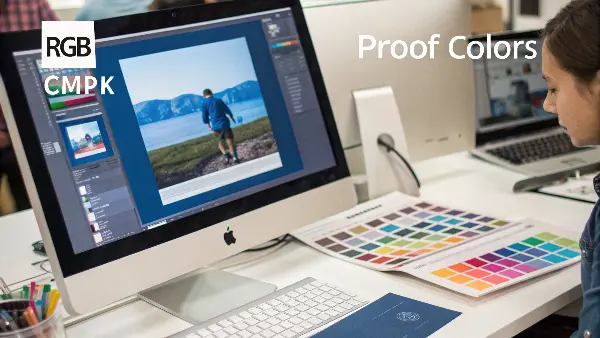
CMYK-to-Pantone comparison is useful when coordinating printed packaging, artwork and brand references. It does not make a molded plastic match automatically: inks, paper, resin, pigments, thickness and surface interact differently. Preserve both the print requirement and the molded-part requirement when a brand color spans media.
Keep Print Proofing Separate From Plastic Approval
Pantone Color Bridge can show a spot color next to a CMYK print simulation under its stated graphics conditions. Coated and Uncoated refer to print substrates, not shiny and matte plastics. Use the printer’s profile and proof for print; use a plastic chip or approved molded master plus the production-resin process for the component.
In What Situations Would You Prefer Using Pantone Colors Over CMYK?
You are launching a new product line, and branding is everything. You need the color on your packaging and the product itself to be suitable. Should you use standard CMYK printing, which is often cheaper, or invest in Pantone colors? Make the wrong choice and you could have inconsistent branding that looks unprofessional, or you could overspend on specialty inks when that isn’t necessary. This decision directly impacts your brand’s perception and budget.
**Generally prefer Pantone colors over CMYK when color consistency is crucial to your brand identity. Use Pantone for logos, key brand colors on packaging, and on the physical product itself. Since Pantone uses pre-mixed inks, it helps support exactly the same shade of color every single time, anywhere in the world. CMYK is more fitting for full-color photographs and complex images where slight color variations are less noticeable, and cost is a primary concern.
Deciding between Pantone and CMYK is a strategic choice. I work with business owners like the buyer, who owns a U.S. manufacturing company. For his brand’s main logo, we generally use a specific Pantone blue. It ensures that whether he’s printing business cards, molding a plastic part, or creating new packaging, that blue is generally the exact same. It builds brand recognition and trust. But for a flyer with lots of photos, he uses CMYK because it’s more cost-effective and suitable color accuracy for every element isn’t needed.
Making the Right Call: Pantone vs. CMYK to Pantone
The choice boils down to a balance of brand integrity, consistency, and cost. Here’s a breakdown to help you decide.
When to Insist on Pantone (PMS):
- Logos and Brand Elements: Your logo is your company’s face. It must be consistent. If your logo is one, two, or three specific colors, using Pantone is the only way to support it looks identical everywhere.
- Color-Critical Packaging: If your product is known for its signature “Tiffany Blue” or “Coca-Cola Red” box, that color must be suitable. Pantone ensures this level of precision.
- Manufacturing Plastic Parts: When we inject mold plastic parts, we use a masterbatch colorant. To ensure the color is right, we match it to a specific Pantone reference. Using a CMYK reference would be unreliable, as it’s a mix, not a solid standard.
- Projects with Limited Colors: For designs that use only a few colors (e.g., a 2-color t-shirt), Pantone printing can sometimes be more cost-effective than a full CMYK process.
When CMYK is the Better Choice:
- Full-Color Photographs: Photos are made of thousands of different color tones. CMYK printing is designed specifically for this and does an excellent job of reproducing photographic images.
- Designs with Many Colors and Gradients: If your design is a complex illustration with lots of colors, gradients, and shades, CMYK is the practical and economical choice. Trying to print this with dozens of Pantone inks would be incredibly expensive and complex.
- General Marketing Materials: For items like flyers, brochures, and internal reports where suitable color matching isn’t as critical as the message itself, CMYK offers a great balance of quality and cost.
- When Budget is the Top Priority: CMYK printing is often less expensive than using custom Pantone inks, especially for smaller print runs.
Ultimately, this is a business decision. Ask yourself: “Is this specific color essential to my brand’s identity?” If the answer is yes, invest in Pantone. If the answer is no, CMYK is likely the smart, practical option.
After the cross-media target is chosen, release it through a molded production color standard that controls resin, surface, lighting, process and retained samples.
Control the Cross-Media Handoff
Color Bridge is a graphics and print comparison tool. A cross-media specification should therefore list the digital source/profile, print proof condition, physical plastic target, resin/surface, relevant lights and separate tolerances. One numerical conversion must not silently become the acceptance standard for every medium.
Primary technical sources checked: Pantone — Graphics Products (graphics/print reference scope); Pantone — Plastic Standards (physical plastic references and their intended use); Pantone — Numbering Explained (library identifiers and reference families). Apply the cited scope to the exact grade, tool and acceptance plan.
Identify the Original Color Intent
Confirm the artwork file, color profile, screen condition, printed reference and intended product surface. A single RGB value can look different across displays, and a CMYK print can vary with paper and ink. Preserve the design intent and choose the closest physical reference rather than implying mathematical equivalence.
Use Pantone as a Communication Bridge
A Pantone code gives the project team a shared vocabulary, but the supplier should confirm the library and surface condition. If the final part is translucent, textured, high gloss or dark, the visual result may not resemble a printed swatch in the same way.
Build a Resin-Specific Color Match
Provide the color reference, resin grade, opacity, filler, wall range, texture, gloss, UV need and expected environment to the compounder. Request a molded plaque or sample in the target resin. Adjust pigment concentration only through a controlled formulation and approval process.
Control Process Variables That Shift Color
Melt temperature, residence time, shear, moisture, purging, regrind, shot size and barrel cleanliness can change color or create streaks. Mold temperature, wall thickness and surface texture affect perceived gloss and shade. Record these variables during color trials.
Define a Production Acceptance Method
Use a retained master, approved viewing light, comparison geometry, instrument method where appropriate and a defect policy. Compare parts at the same condition and location. A digital color difference value should support—not replace—human and functional assessment.
RGB and CMYK to Pantone for Plastic Parts: Buyer Review Checklist
- Preserve artwork file, color profile, printed reference and intended product surface.
- Use Pantone as a bridge, then create a resin-specific molded color target.
- Provide opacity, filler, wall, texture, gloss, UV and environmental requirements.
- Control temperature, residence time, shear, moisture, purge, regrind and barrel cleanliness.
- Approve color with a retained master, defined lighting and documented acceptance method.
FAQ
Can RGB be converted directly into injection molding color?
No. RGB is a display-space value; it must be translated into a physical target and a resin-specific pigment or masterbatch formulation.
Why does the molded color differ from the Pantone print?
Plastic surface, resin, opacity, wall thickness, texture, gloss, pigment and lighting differ from the paper and ink used for the print reference.
Conclusion
Mastering color conversion is less about magic and more about knowing the right tools for the job. RGB is for screens, CMYK is for standard printing, and Pantone is for brand precision. Utilizing physical guides like the Pantone Color Bridge, initiating designs in the correct color mode, and clear communication with the manufacturing partners means your colors can stay strong and consistent from that first digital concept into the final, physical product.
FAQs
Does this CMYK to Pantone conversion tool support various color profiles of CMYK?
CMYK to Pantone conversion tool is very reliable and will support various CMYK color profiles. It takes into account the color gamut and color features of various CMYK color profiles in order to provide the correct and predictable conversions to Pantone colors. Using the peculiarities of the specific CMYK color profile, the tool offers a more accurate and dependable output in the CMYK to Pantone color conversion.
What is the value of CMYK to Pantone conversion tool to you?
The CMYK to PMS conversion is useful because you get the following:
Matching Colors: This converts CMYK colours to Pantone which will assist in consistent matching of colours in various printing projects.
Brand Consistency: A conversion of CMYK colors into Pantone means that your brand colors are properly printed in print materials, whether it is a logo, packaging, or marketing collateral.
Design Flexibility: With Pantone conversion you more choices on colors and have increased design flexibility as well as a ability to control certain color choices.
How does the RGB, CMYK and Pantone colors differ?
RGB is a digital color system that involves the combination of light of red, green and blue to form colors on the screens. CMYK on the other hand combines cyan, magenta, yellow and black inks to be used in printed materials. It is a uniform system of pre-ready inks used by Pantone and has the unique codes that support consistency of colors in industries, materials, and printing techniques.
What influences the Pantone color repeatability after conversion?
A number of variables such as paper finish, ink density, and press calibration affect the appearance of Pantone colors after printing. Color perception may condition even in light during an investigation. These variations can be minimized by regular maintenance of the equipment and standardization of lighting settings.
What is the reason I would change the RGB or CMYK color to Pantone?
Pantone conversion is useful in ensuring consistency in the visuals when the designs are transferred to print. It gets rid of the guess work as it involves a certain ink formula that means that the colors of the brands will be similar regardless of who is printing them. This is particularly crucial in businesses that have a rigid brand code or multinational manufacturing units.
What is the conversion of RGB or CMYK to Pantone colors?
You can work with design programs such as Adobe Illustrator, Photoshop or Pantone Connect and find the nearest shade of Pantone. It takes the analysis of your RGB or CMYK values and gives you a suggested Pantone color that looks like the same. The final result, where a high degree of precision is required, can be checked by professional spectrophotometers or Pantone color guides.
Why can colors in RGB or CMYK not necessarily be able to match Pantone so well?
Varying systems of color have gamuts, or sets of colors that it can reproduce. Certain RGB hues are very bright or saturated and cannot be printed with CMYK or Pantone because of the physical constraints of ink. That is why designers usually make changes to colors slightly to obtain the maximal visual accuracy.
Does it have a software that ensures consistent Pantone matching?
There is no software that can support a hundred percent perfection but sophisticated tools would end up giving near-precise results. Such tools as Pantone Connect, X-Rite Color Management, and Adobe Creative Cloud are characterized by exact conversion and visualization. Also to watch color scientifically, spectrophotometers are also employed to measure color in printers which are used in important applications.