
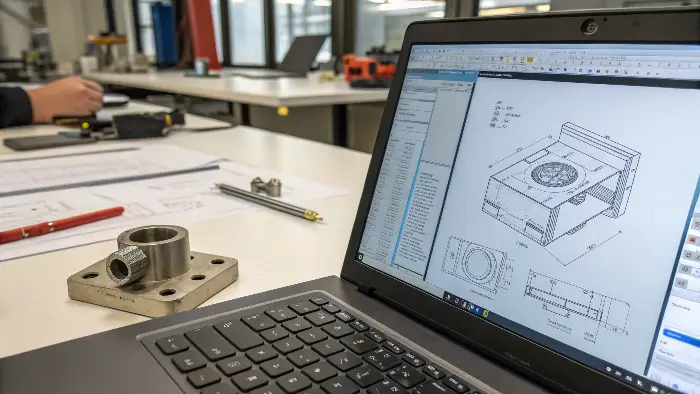
In an injection-molded product project, CAD defines the geometry to manufacture and FEA evaluates a specified response under stated assumptions. Keep the model revision, material data, loading and physical validation connected through each design change.
CAD and FEA serve different purposes in injection molded product development. CAD defines the geometry and assemblies that engineers and moldmakers build. FEA analyzes how that geometry may respond to loads, temperature, pressure, vibration or other conditions. Neither replaces DFM, mold-flow analysis, material data or physical validation; they answer different questions in the same workflow.
Related CKMOLD resources: DFM analysis, mold design, mold testing and validation.
Whether designing aircraft parts, streamlining production, or modeling real-world physics, these technologies define the future of engineering. But how do they stack up? Let’s look into their purposes, distinctions, and influence!
It is because of this that products and buildings are subjected to a set of stress testing and optimization prior to deployment in the real world. But repeating the process hundreds of times (and at scale) can be extremely costly. So engineers will sometimes turn to simulation modeling tools (such as Finite Element Analysis) to mechanize and streamline this testing.
The major difference is intent: CAD (Computer-Aided Design) is for creating a part or assembly’s form—it’s the digital drafting table for establishing its form, size, and detail. FEA (Finite Element Analysis) is a simulator that’s used to predict how that form would behave when subjected to physical forces like stress, vibration, or temperature. Basically, you make what it is using CAD and simulate how it behaves using FEA before you ever build a physical model.

A CAD model can be geometrically complete while the proposed part still fails under load. FEA can test a defined load case, constraint, material model and mesh before tooling, but its result is only as reliable as those inputs and the physical validation plan.
Control Handoff and Revision
Record CAD revision, FEA model, mesh, material, loads, constraints, DFM changes and validation results. A geometry change that improves strength may alter draft, wall thickness, gate, cooling or tolerance and needs a cross-functional review.
CAD and FEA Answer Different Questions
CAD defines geometry and product information: shape, interfaces, datums, dimensions, material callouts and revisions. Finite element analysis (FEA) creates a mathematical model to estimate response under stated materials, loads, contacts, constraints and physics. Ansys is one software family that performs FEA; FEA is the method, not a synonym for one vendor.
A CAD model can be dimensionally perfect while an FEA model is wrong because the load, constraint, material curve, contact or mesh does not represent use. Conversely, an analysis result cannot be manufactured unless the released CAD/drawing preserves the validated geometry and requirements.
Autodesk’s public FEA basics identifies geometry, material, mesh, loads/constraints and physics as core inputs and notes that incorrect boundary conditions are a common error source. Use that scope as a checklist, not as proof that a particular design is safe.
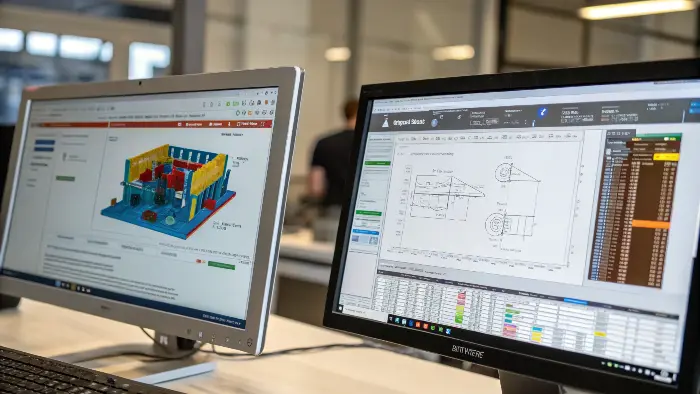
Why FEA software is convenient?
FEA enables engineers to simulate a designed model instead of producing a physical model for test purposes.
FEA has more benefits
FEM in the course of analysis provides modeling of a wide variety of material types, and the capability to observe how restricted effects affect a limited region of design in complex geometry.
Engineers can employ software dedicated to finite element modeling to perform a large variety of tasks.
Fluid flow, deformation of a car due to impact and stress on human bones are a few examples of real-world application of finite element modeling software by engineers.
Keep the Model Focused on the Manufacturing Handoff
For this workflow, the useful model information is the part and assembly geometry, datums, materials, tolerances and revision intent. Building information modeling serves a different project scope. A data-rich CAD file still needs a defined analysis model and a controlled manufacturing release.

What is the difference between FEA and the finite element method?
In technical presentations, you may encounter the terms FEA and FEM being used interchangeably. You may know what they are, but not the exact difference. Does it even exist? Applying these words correctly is a subtle but significant indication of profound technical knowledge. It differentiates the tool user from the learned person who knows the underlying principles.
There is a clear and distinct difference. The Finite Element Method (FEM) is the broad and general mathematical theory and computational approach to solving complex problems by breaking them into small, manageable pieces (finite elements). Finite Element Analysis (FEA) is the specific application of the FEM to solve a specific, real-world engineering problem, often with specialized computer programs.
For simplicity, FEM is the “recipe” or the “procedure,” and FEA is the process of “cooking the dish” using the recipe.

The finite element method is the mathematical discretisation method; finite element analysis is the engineering use of that method on a defined model, load case and result set. A software result still requires mesh checks, sensitivity review and correlation or testing appropriate to the risk.
Select the Method for the Engineering Question
The analyst should select the solver, element formulation, material model and convergence checks for the required physics. Record assumptions and limitations with the result; a method name or a colored stress plot does not establish product acceptance.
Choose an Analysis Tool From the Required Physics
Software names and modules change. Do not assume that file compatibility means a tool supports the required nonlinear material, contact, large deformation, impact, fatigue, thermal or coupled behavior. Define the engineering question first, then verify the selected solver, element type and material model.
The handoff should include released CAD revision, simplifications, material data source, contacts, loads, constraints, mesh/convergence evidence, acceptance criterion and result limitations. For an injection-molded part, orientation, welds, residual stress and process-induced properties may require molding results to be mapped into structural analysis rather than treating the plastic as isotropic bulk data.
CAD Defines What Will Be Manufactured
CAD contains surfaces, solids, drafts, ribs, bosses, parting concepts, assemblies and revisions. It is the source for DFM, mold design, toolpaths, drawings and inspection datums. A clean model should distinguish nominal geometry from manufacturing changes and reference features.
FEA Tests How the Design May Behave
FEA applies material properties, loads, constraints and boundary conditions to estimate stress, strain, deflection, thermal response, vibration or failure risk. The result is only as meaningful as the assumptions and the quality of the material and load definition.
Use Them Together at the Right Stage
CAD changes can be screened with FEA before tooling, while DFM checks whether the same design can fill, cool, release and be inspected. Mold-flow analysis may be needed for polymer filling and warpage, because structural FEA alone does not model the complete molding process.
Do Not Confuse Simulation With Proof
FEA may predict a safe stress level, but molded parts have weld lines, fiber orientation, voids, shrinkage, residual stress and material variation. Physical tests should confirm critical strength, fatigue, impact, thermal and assembly performance.
CAD vs FEA in Injection Molded Product Development: Buyer Review Checklist
- Use CAD to define geometry, assembly, datums, surfaces and revision-controlled design intent.
- Use FEA for structural, thermal or dynamic questions with explicit material and load assumptions.
- Add DFM and mold-flow review for filling, cooling, ejection, shrinkage and warpage risks.
- Treat simulation as a decision tool and validate critical performance physically.
- Link CAD, FEA, DFM, mold and test revisions through controlled handoff.
FAQ
Can FEA replace mold-flow analysis?
No. FEA and mold flow answer different questions; polymer filling, packing, cooling and warpage need molding-specific analysis.
What does CAD provide to a moldmaker?
It provides geometry, surfaces, assembly relationships, datums and revisions that support DFM, parting, tooling and inspection.
Conclusion
CAD describes what is intended to be made; FEA estimates how a defined model may respond. Reliable decisions require controlled revisions, traceable material and load assumptions, suitable physics, mesh/convergence checks and physical validation at the level justified by risk.